


ggvfields extends ggplot2 by providing suite of tools to visualize vector and stream fields. In addition to standard vector and stream plotting, ggvfields automatically computes and visualizes smoothed vector fields, smooth gradient fields, gradient fields derived from scalar functions, and potential fields from gradients. This integrated framework simplifies the analysis and interpretation of complex vector and scalar field data.
A manuscript describing the theoretical foundations and detailed methodologies behind ggvfields is forthcoming.
ggvfields is available on CRAN and can be installed with:
install.packages("ggvfields")Alternatively, you can install the latest development version from GitHub with:
remotes::install_github("dusty-turner/ggvfields")Load the package in R:
library("ggvfields")
#> Loading required package: ggplot2
options(ggplot2.continuous.colour="viridis")geom_vector_field()
and geom_vector_field2()geom_vector_field(): Computes vector
fields from a user-defined function over the domain \(\{(x,y) \in \mathbb{R}^2 : -1 < x < 1,\ -1
< y < 1\}\) on an \(n \times
n\) grid (default: \(11 \times
11\)) and maps the norm to color. Vectors are centered and
normalized by default.The norm \(\mathbf{w} = (u, v)\) is calculated \[|\mathbf{w}| = \sqrt{u^2 + v^2}\] .
f <- function(v) c(-v[2], v[1]) # Define a function for the field

ggplot() +
geom_vector_field(fun = f) 
geom_vector_field2(): Similar to
geom_vector_field(), but maps the norm of vectors to their
lengths instead of color.ggplot() +
geom_vector_field2(fun = f) 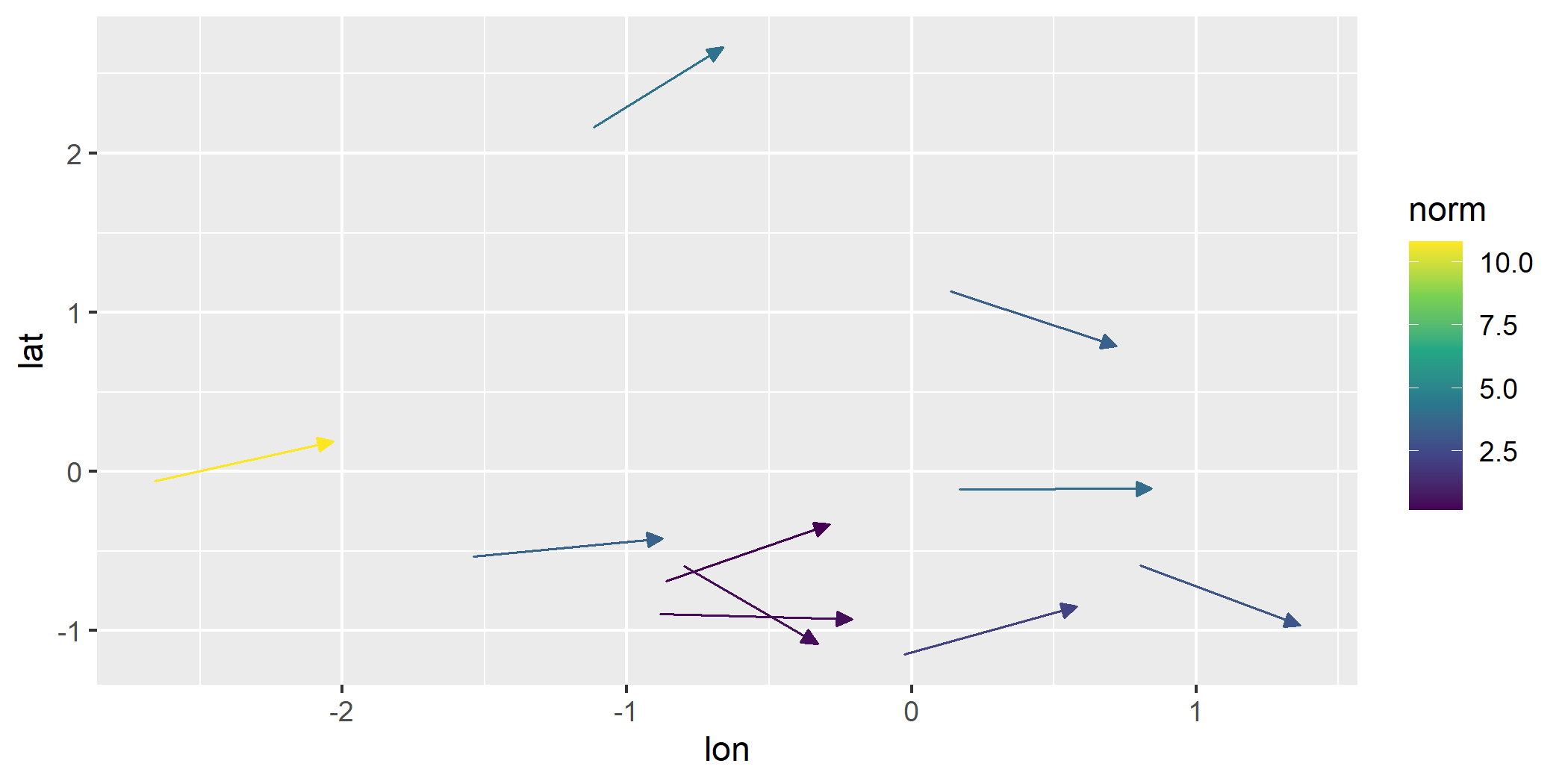
Why Length Mapping Matters
Mapping vector lengths to their norms allows viewers to immediately
understand magnitude differences without relying solely on color. This
feature of geom_vector2() enhances interpretability by
using actual vector lengths to represent magnitude. The legend reflects
the scaling and ensures correct interpretation.
geom_vector_field() optionsLength
We can set the L parameter to visualize vectors at a
specified length.
ggplot() +
geom_vector_field(fun = f, n = 4, L = 2) 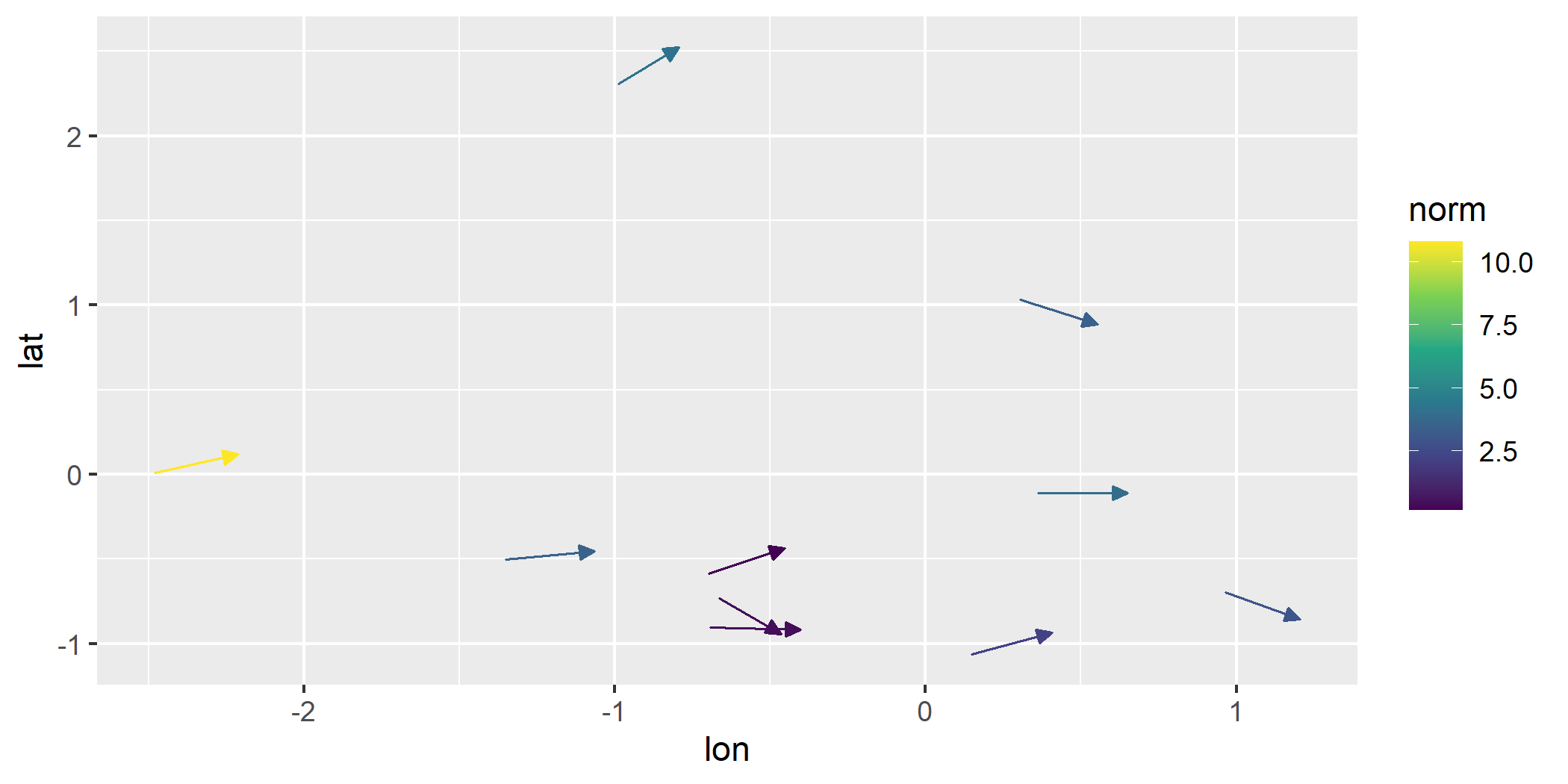
Center
By default, all vectors are centered on their origin. We can turn off centering.
ggplot() +
geom_vector_field(fun = f, n = 4, center = FALSE) 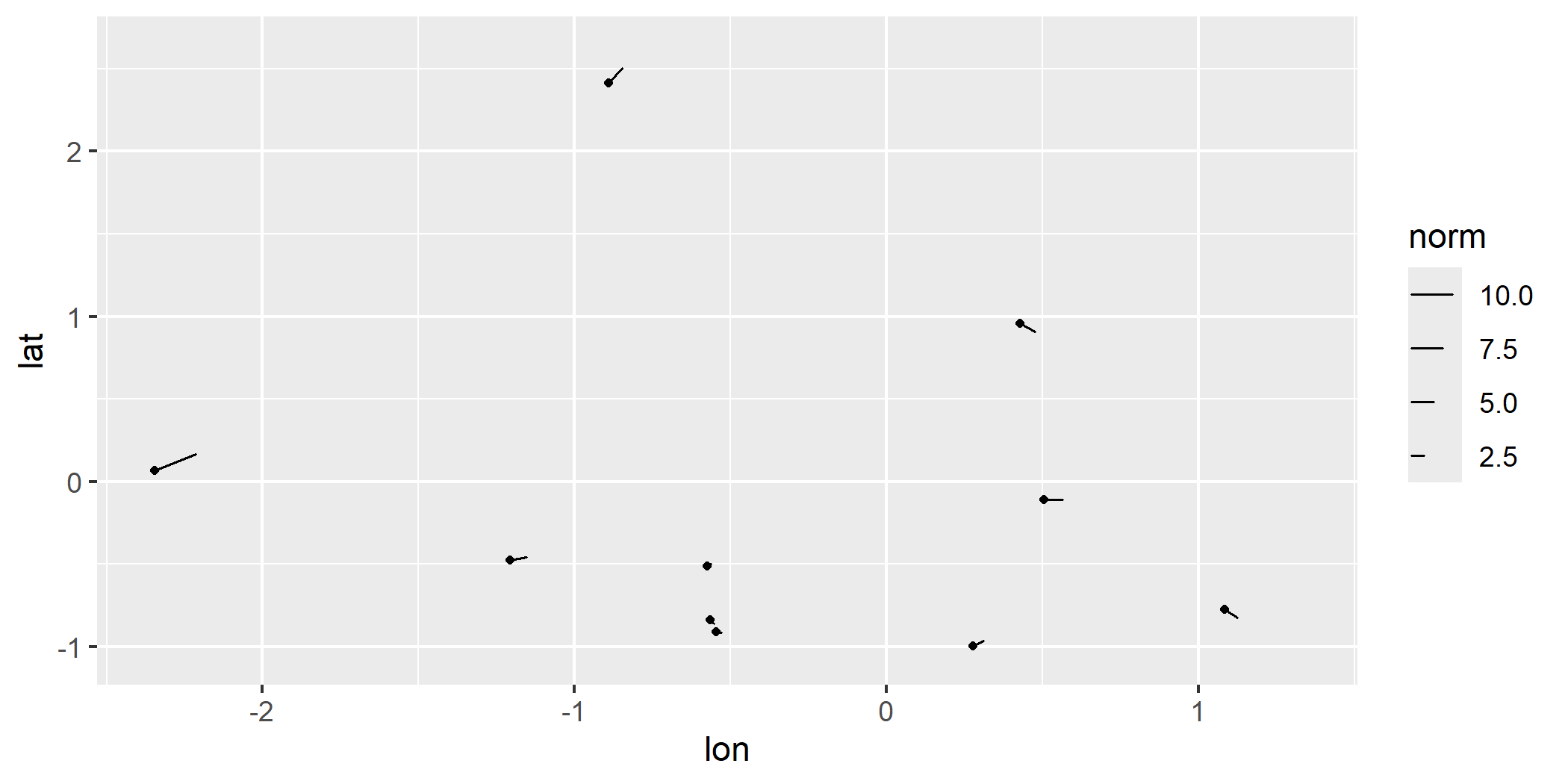
normalize
If we turn off normalization and centering, we get a raw look at the vector field data.
ggplot() +
geom_vector_field(fun = f, n = 4, normalize = FALSE, center = FALSE) 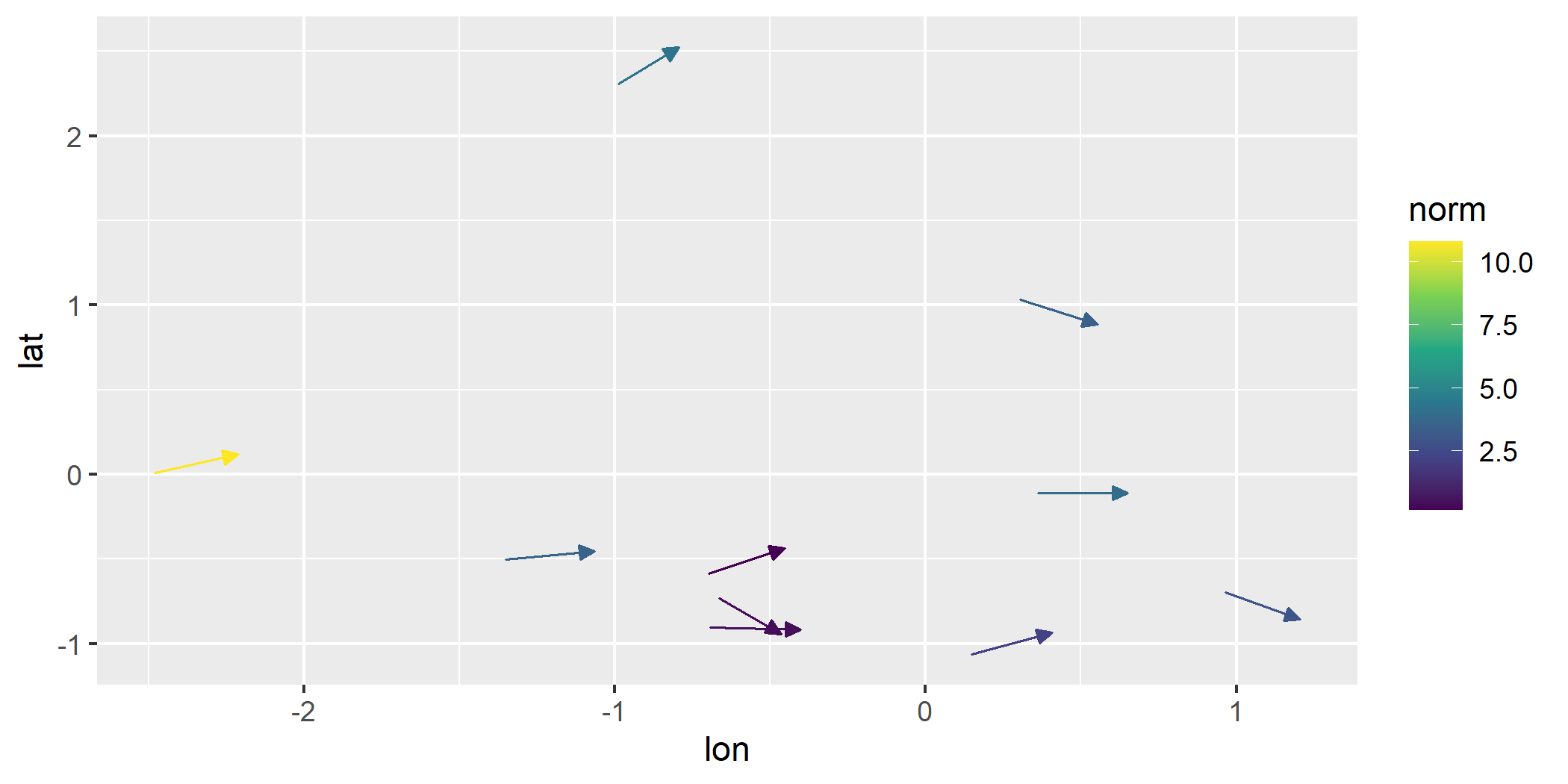
geom_stream_field()
and geom_stream_field2()geom_stream_field(): Computes stream
fields from a user-defined function and maps the average speed to color.
Average speed is the overall rate at which a particle traverses the
shown stream. If the displacement vector has length \(|\mathbf{d}|\) and it takes time \(t\), the integration time of streams, to
traverse that distance, then the average speed is given by \(\text{Average Speed} =
\frac{|\mathbf{d}|}{t}\)ggplot() +
geom_stream_field(fun = f) 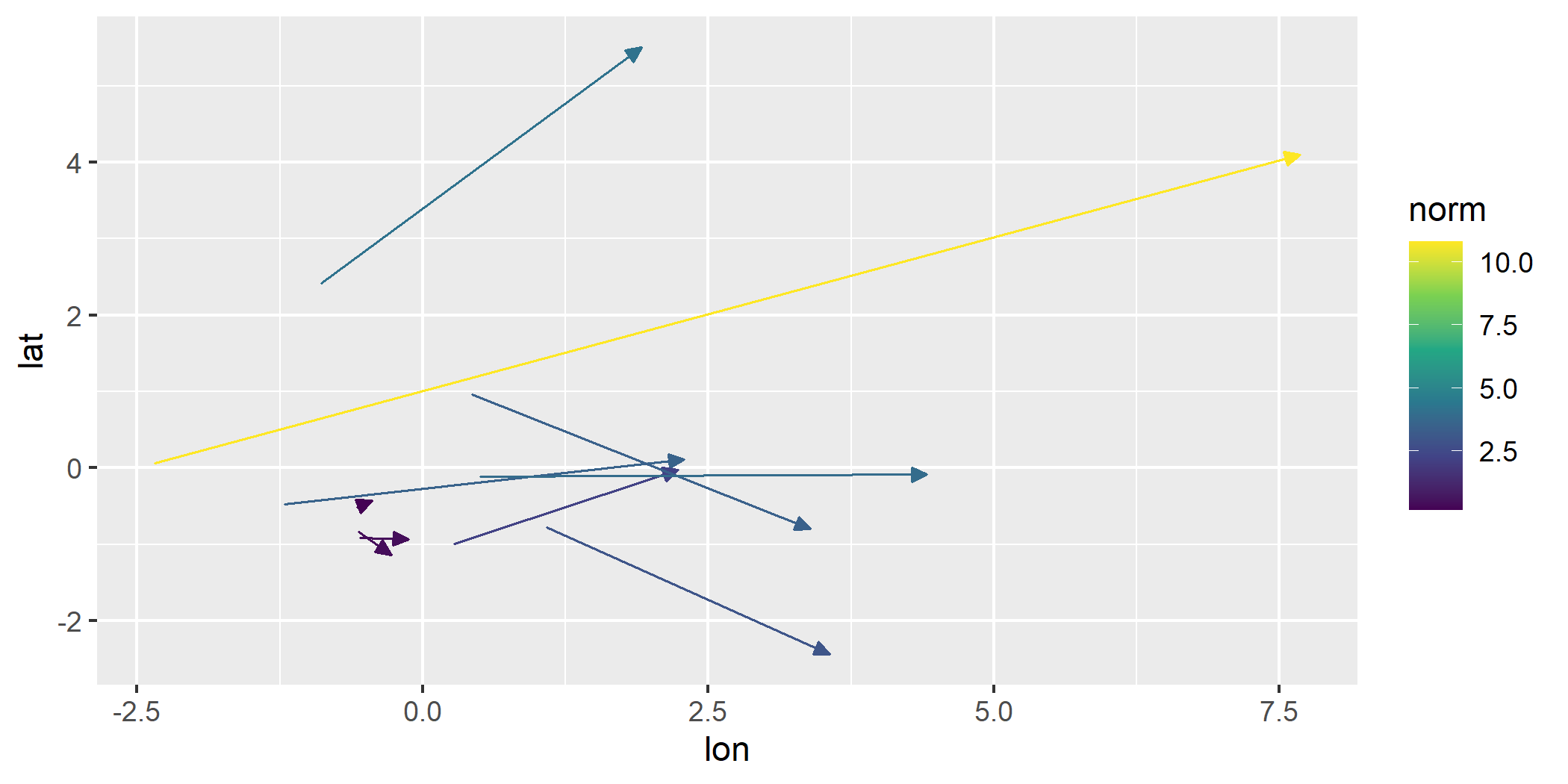
geom_stream_field2(): Similar to
geom_stream_field(), but removes mapping, arrow heads, and
designates stream origins with a dot.ggplot() +
geom_stream_field2(fun = f) 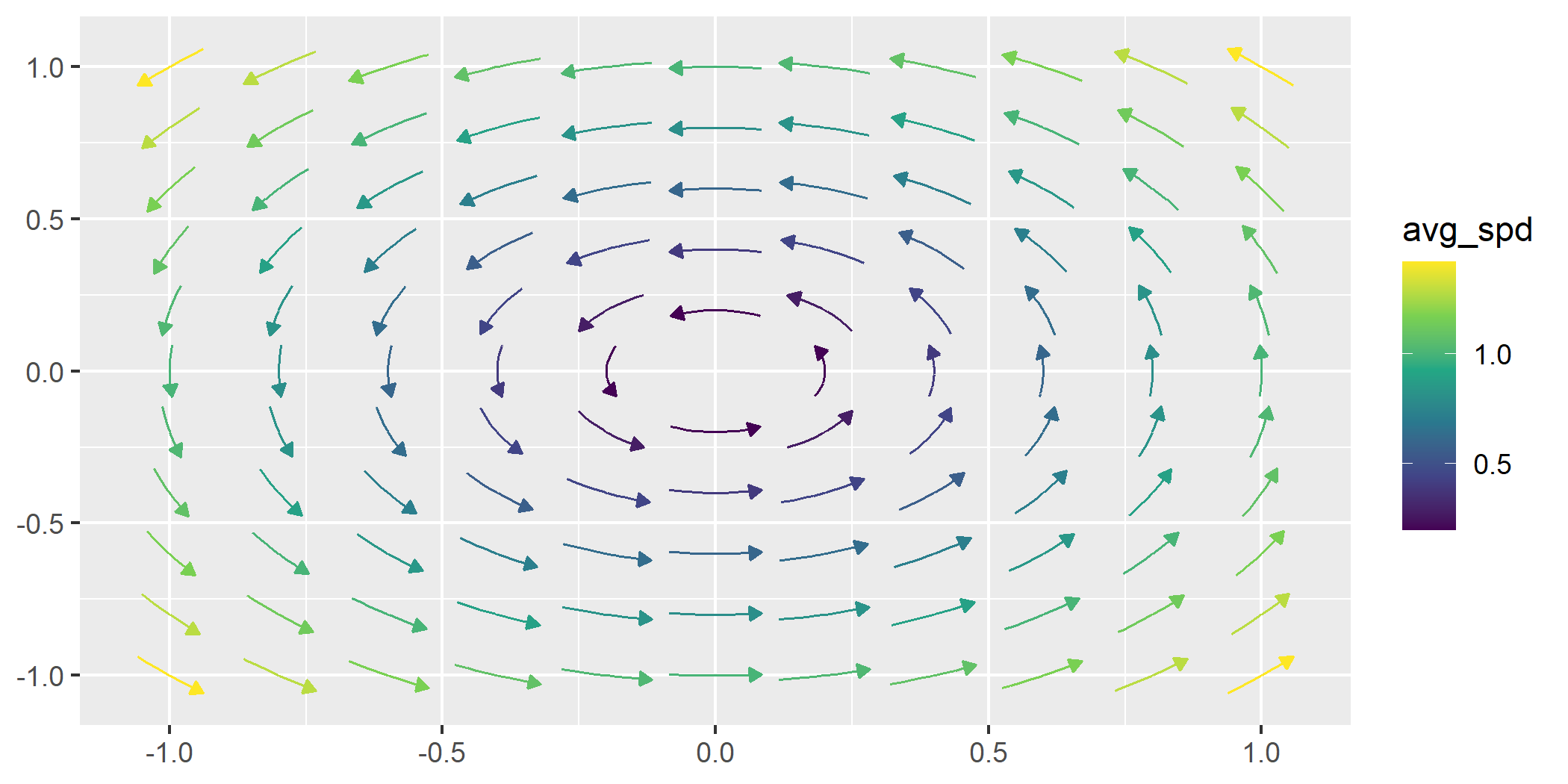
geom_stream_field() optionsgeom_stream_field() maintains similar options to
geom_vector_field(). Some arguments yield slightly
different behavior.
Length
By adjusting the L parameter, we can control the length
of each stream.
ggplot() +
geom_stream_field(fun = f, n = 4, L = .8) 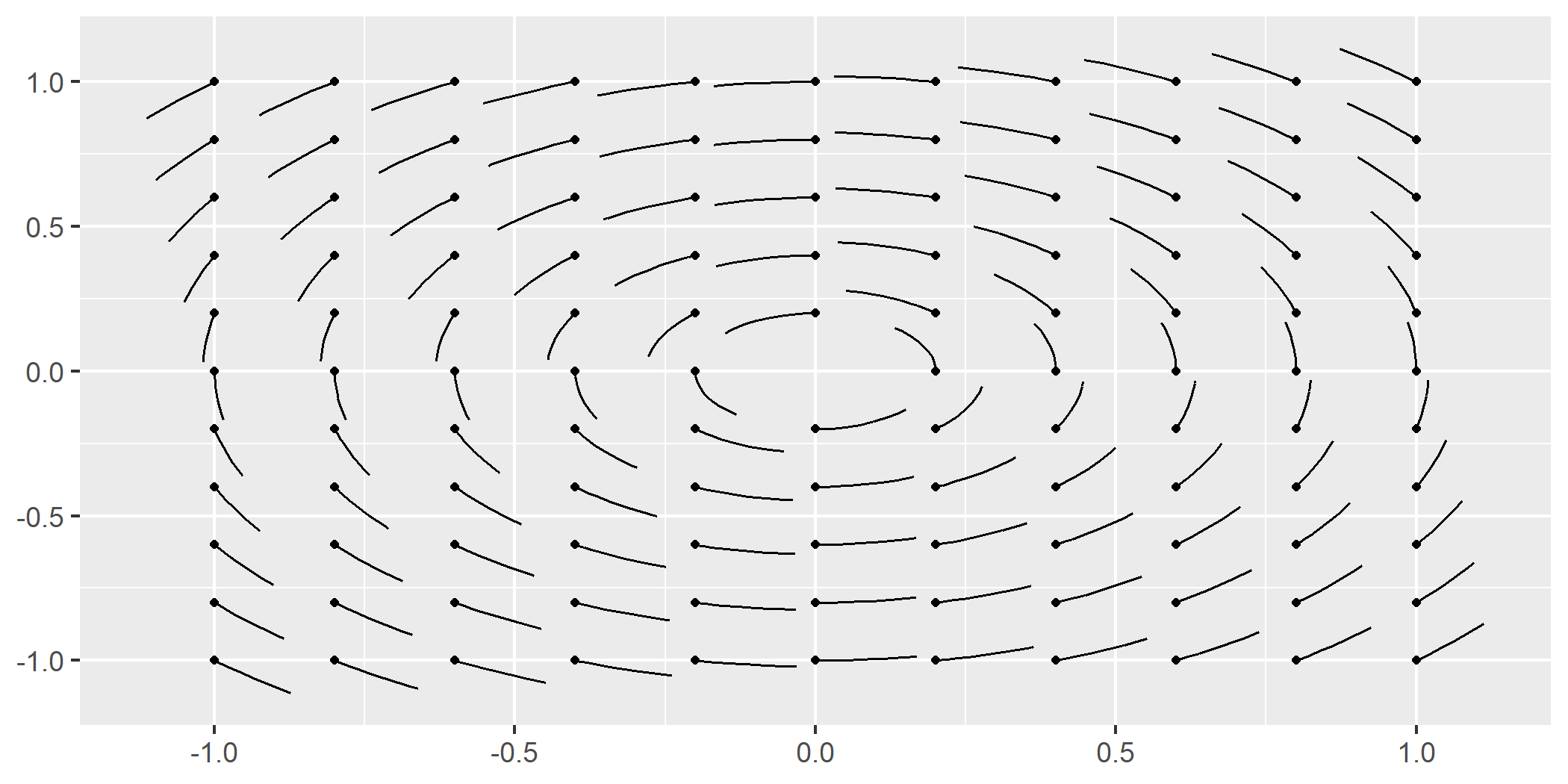
Normalization
By default, the lengths of each stream is normalized to be the same length. By turning normalization off, each stream becomes time normalized. In other words, each stream grows for the same amount of time.
ggplot() +
geom_stream_field(fun = f, n = 4, normalize = FALSE) 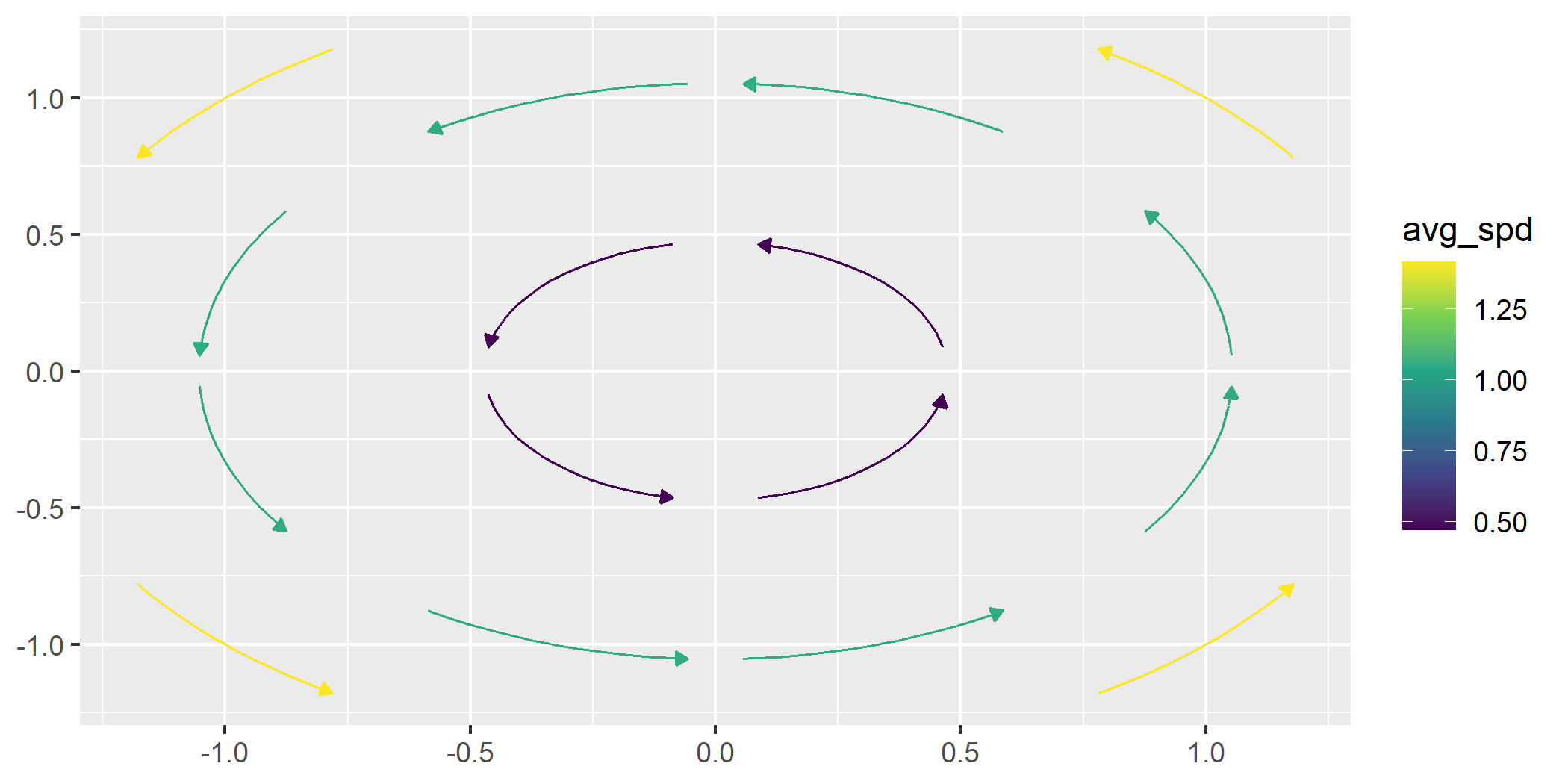
We can control the length of the longest stream when
normalize = FALSE by altering the L
argument.
ggplot() +
geom_stream_field(fun = f, n = 4, normalize = FALSE, L = .8) 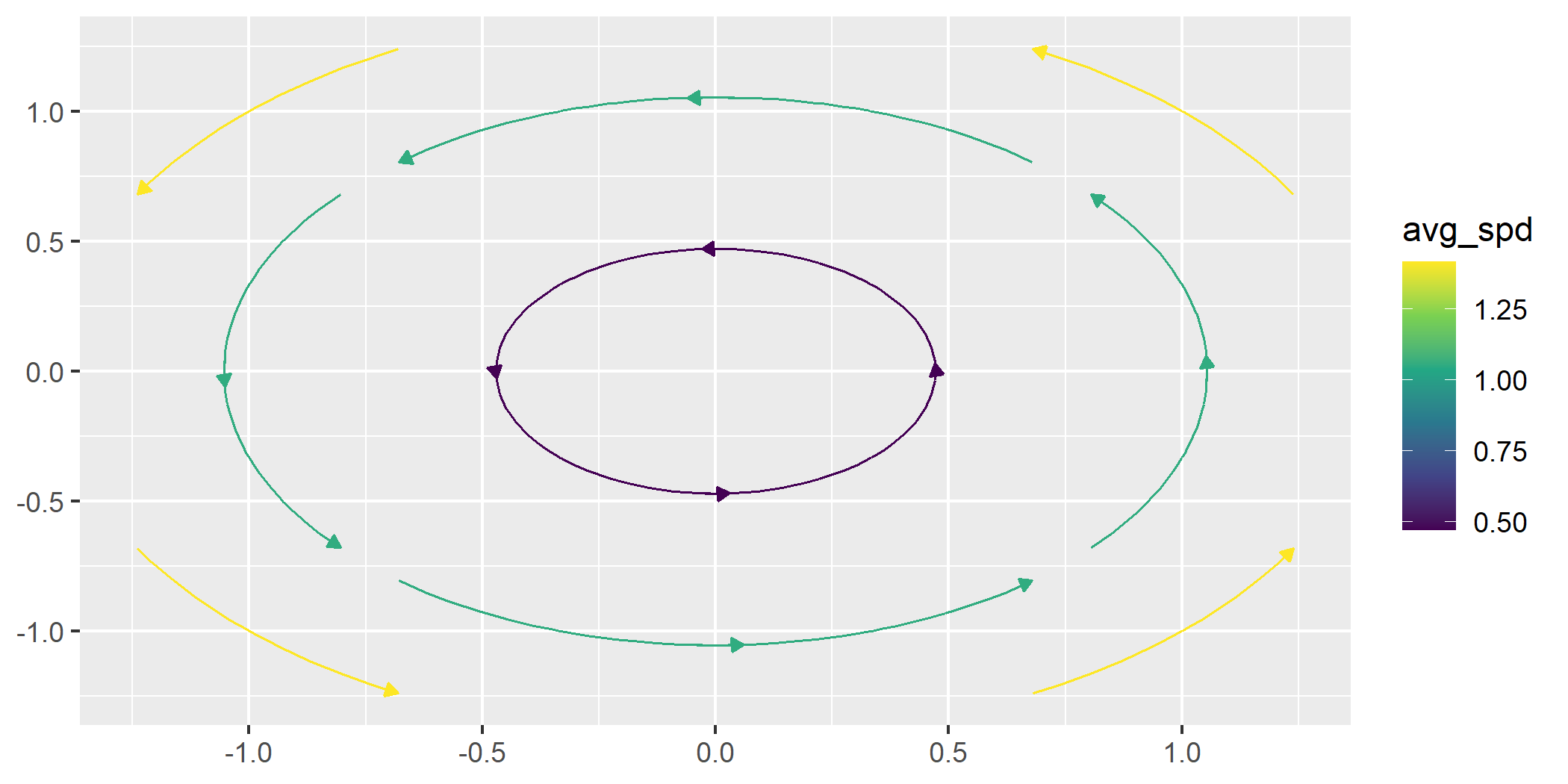
Time
When normalize = FALSE, we can grow each stream for the
same amount of time by using the T parameter.
ggplot() +
geom_stream_field(fun = f, n = 4, normalize = FALSE, T = .5) 
geom_gradient_field()
and geom_gradient_field2()The geom_gradient_field() function computes and
visualizes gradient fields derived from scalar functions and displays
the gradient vector field of a scalar function, \(f(x, y)\). The gradient is given by:
\[ \nabla f(x, y) = \left( \frac{\partial f}{\partial x}, \frac{\partial f}{\partial y} \right) \]
This vector field points in the direction of the greatest rate of increase of the scalar function. The function numerically evaluates these partial derivatives and visualizes the resulting vectors.
geom_vector_field()field <- function(v) {
x <- v[1]
y <- v[2]
x^3 + y^3
}
ggplot() +
geom_gradient_field(fun = field)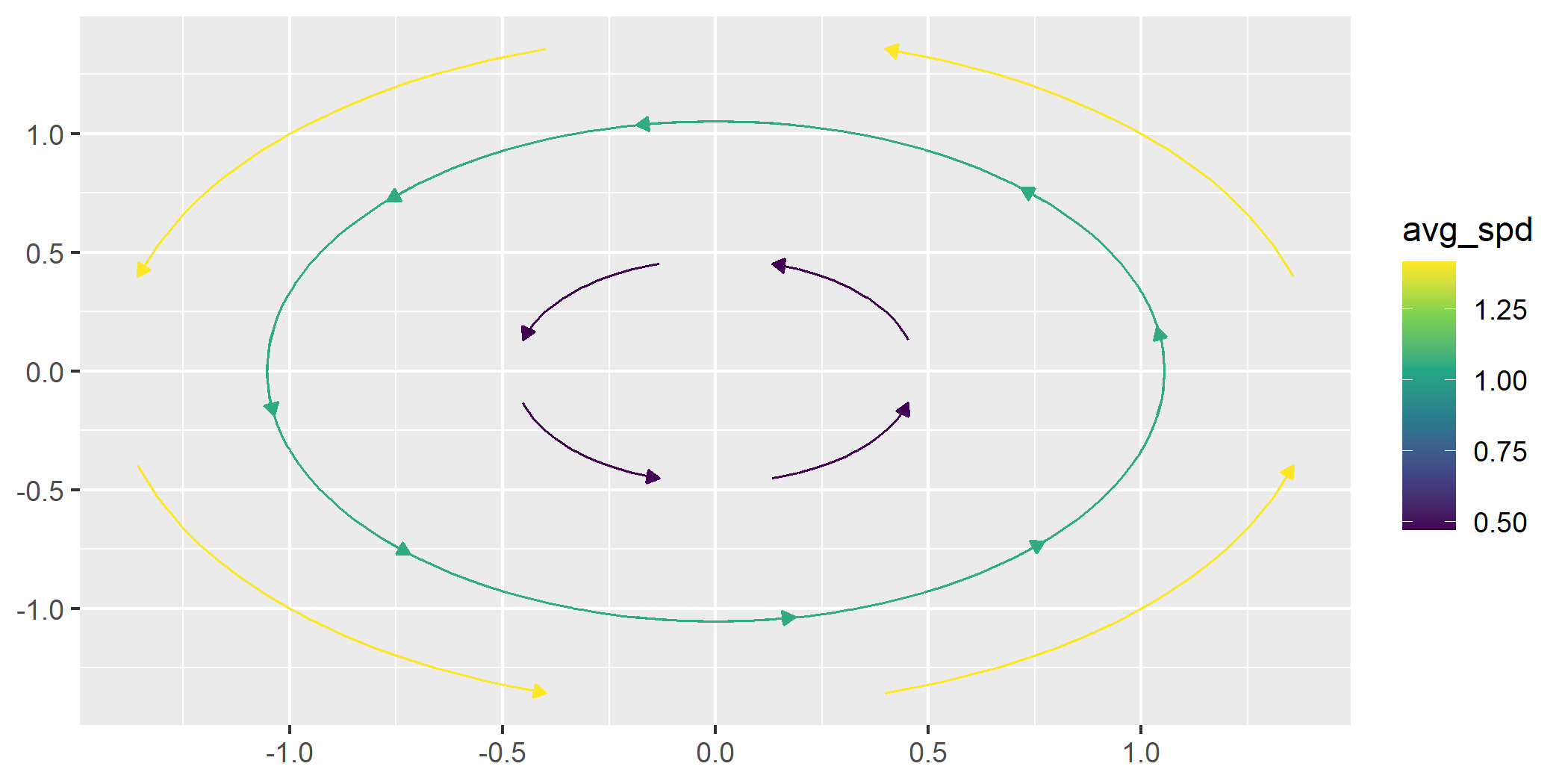
geom_stream_field()ggplot() +
geom_gradient_field(fun = field, type = "stream")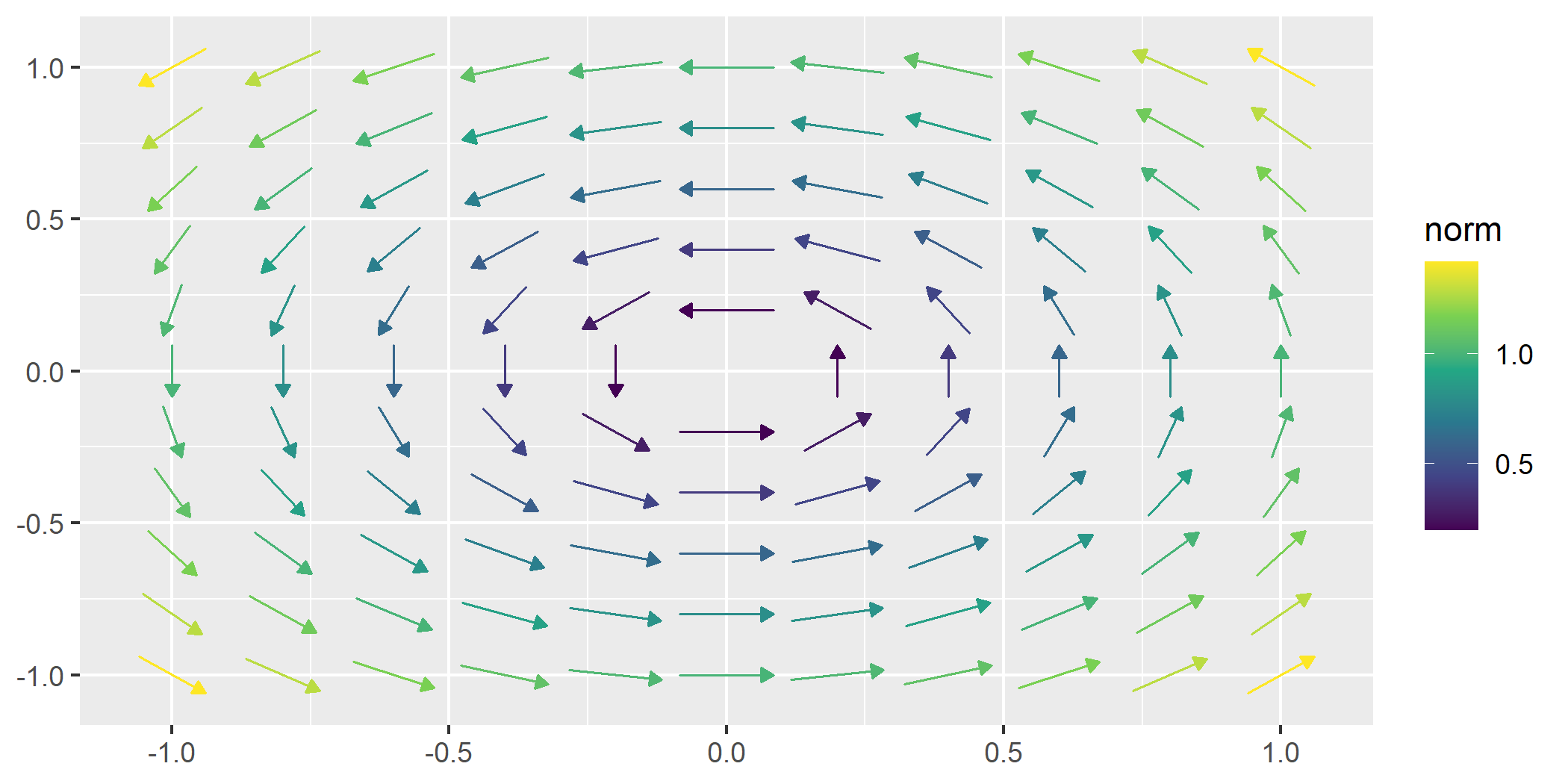
geom_potential()A potential function represents a scalar field whose gradient produces a vector field. It is used to describe conservative vector fields which exist when the curl of the vector field is 0.
The geom_potential() function computes and visualizes
the scalar potential function for a given conservative vector field. The
input function must represent a 2D vector field and the output is the
corresponding potential function. If the input field is not
conservative, the function checks this condition numerically based on a
tolerance parameter. The tolerance determines how strictly the field
must satisfy the conservation condition.
conservative_fun <- function(v) {
 x <- v[1]
 y <- v[2]
 c(sin(x) + y, x - sin(y))
}

ggplot() +
  geom_potential(fun = conservative_fun, xlim = c(-2*pi, 2*pi), ylim = c(-2*pi, 2*pi))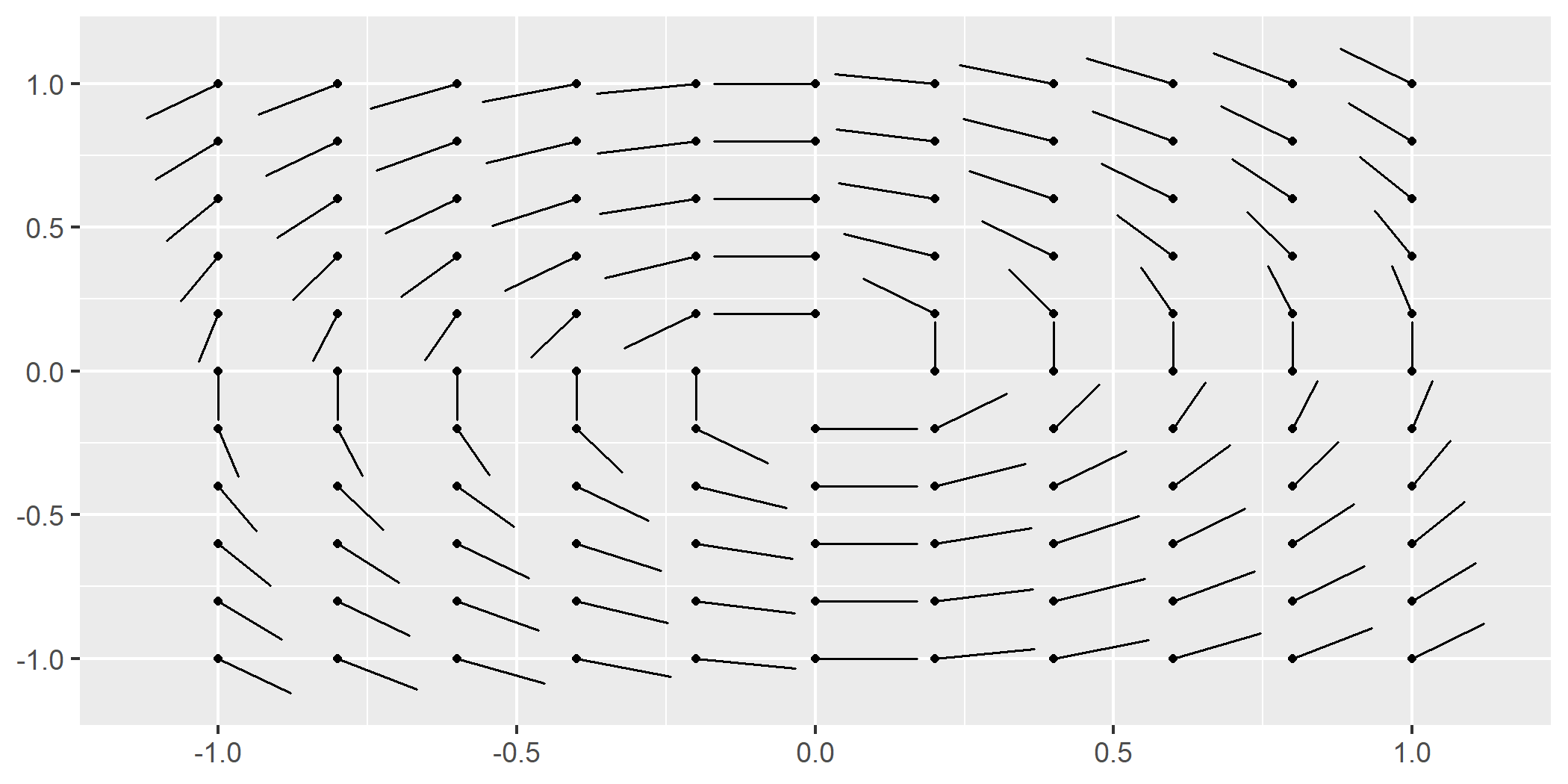
The tol parameter can be adjusted to control the
sensitivity of the conservativeness check. Decreasing the tolerance
makes the check stricter, while increasing it allows for more numerical
error. You can turn this functionality on with
verify_conservative = TRUE.
non_conservative_fun <- function(v) {
 x <- v[1]
 y <- v[2]
 c(-y, x)
}

ggplot() +
  geom_potential(fun = non_conservative_fun,
                 xlim = c(-2*pi, 2*pi), ylim = c(-2*pi, 2*pi),
                 verify_conservative = TRUE,
                 tol = 1e-6
                 )
#> Warning: ! The provided vector field does not have a potential function everywhere
#>   within the specified domain.
#> → Ensure that the vector field satisfies the necessary conditions for a
#>   potential function.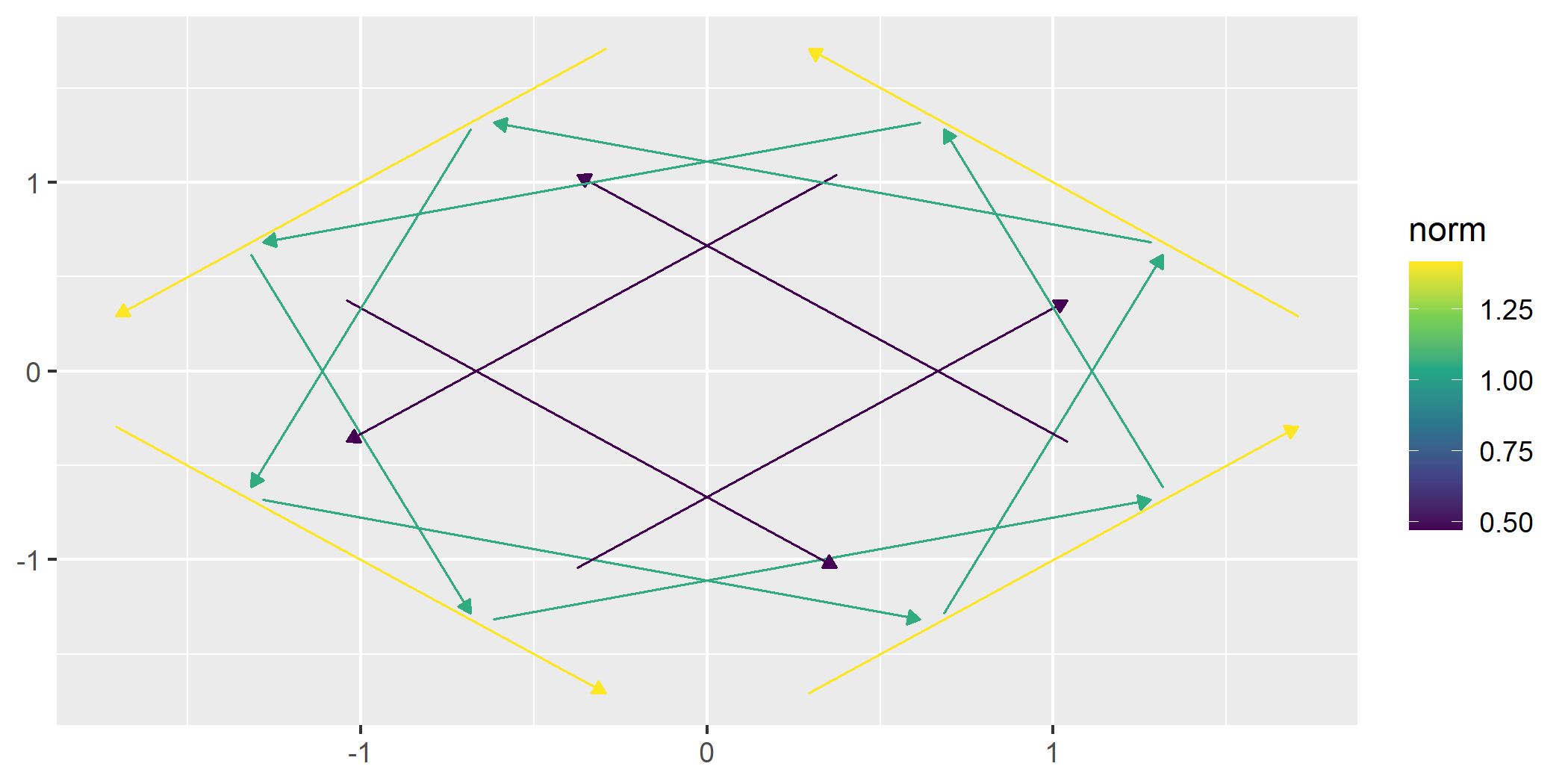
geom_vector() and
geom_vector2()So far, these layers have supported visualizing functions. ggvfields can also visualize raw data.
Generate sample wind data:
set.seed(1234)
n <- 10

wind_data <- data.frame(
  lon = rnorm(n),
  lat = rnorm(n),
  dir = runif(n, -pi/2, pi/2),
  spd = rchisq(n, df = 2)
) |>
  within({
    fx    <- spd * cos(dir)          # Compute the x-component of the vector
    fy    <- spd * sin(dir)          # Compute the y-component of the vector
    xend  <- lon + fx                # Compute the end x-coordinate
    yend  <- lat + fy                # Compute the end y-coordinate
  })

round(wind_data, digits = 2) |> head(6)
#>     lon   lat   dir   spd  yend xend    fy    fx
#> 1 -1.21 -0.48  0.17  3.55  0.11 2.29  0.59  3.50
#> 2  0.28 -1.00  0.46  2.19 -0.03 2.24  0.97  1.96
#> 3  1.08 -0.78 -0.59  2.99 -2.44 3.56 -1.66  2.48
#> 4 -2.35  0.06  0.38 10.81  4.10 7.68  4.04 10.03
#> 5  0.43  0.96 -0.53  3.45 -0.80 3.40 -1.76  2.97
#> 6 0.51 -0.11 0.01 3.91 -0.09 4.41 0.02 3.91geom_vector(): By default, this maps
the norm (magnitude) of a vector to its color.ggplot(wind_data) +
geom_vector(aes(x = lon, y = lat, xend = xend, yend = yend)) 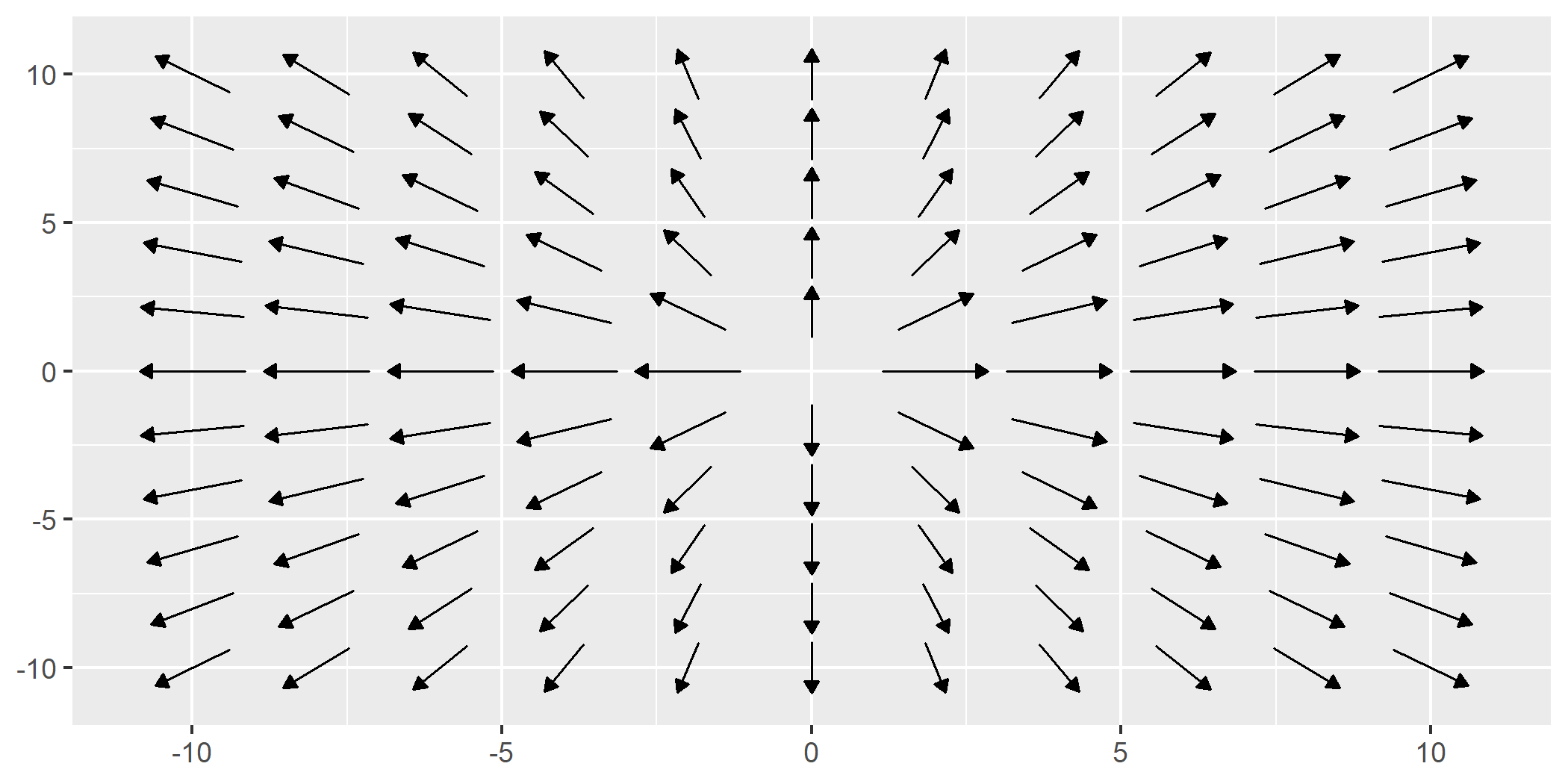
geom_vector() also supports both
xend/yend format as well as
fx/fy format.
ggplot(wind_data) +
geom_vector(aes(x = lon, y = lat, fx = fx, fy = fy)) 
geom_vector2(): Maps the norm of a
vector directly to its length. This provides a more intuitive
representation of magnitude. This is done by mapping
length = after_stat(norm) by default.ggplot(wind_data) +
geom_vector2(aes(x = lon, y = lat, fx = fx, fy = fy)) 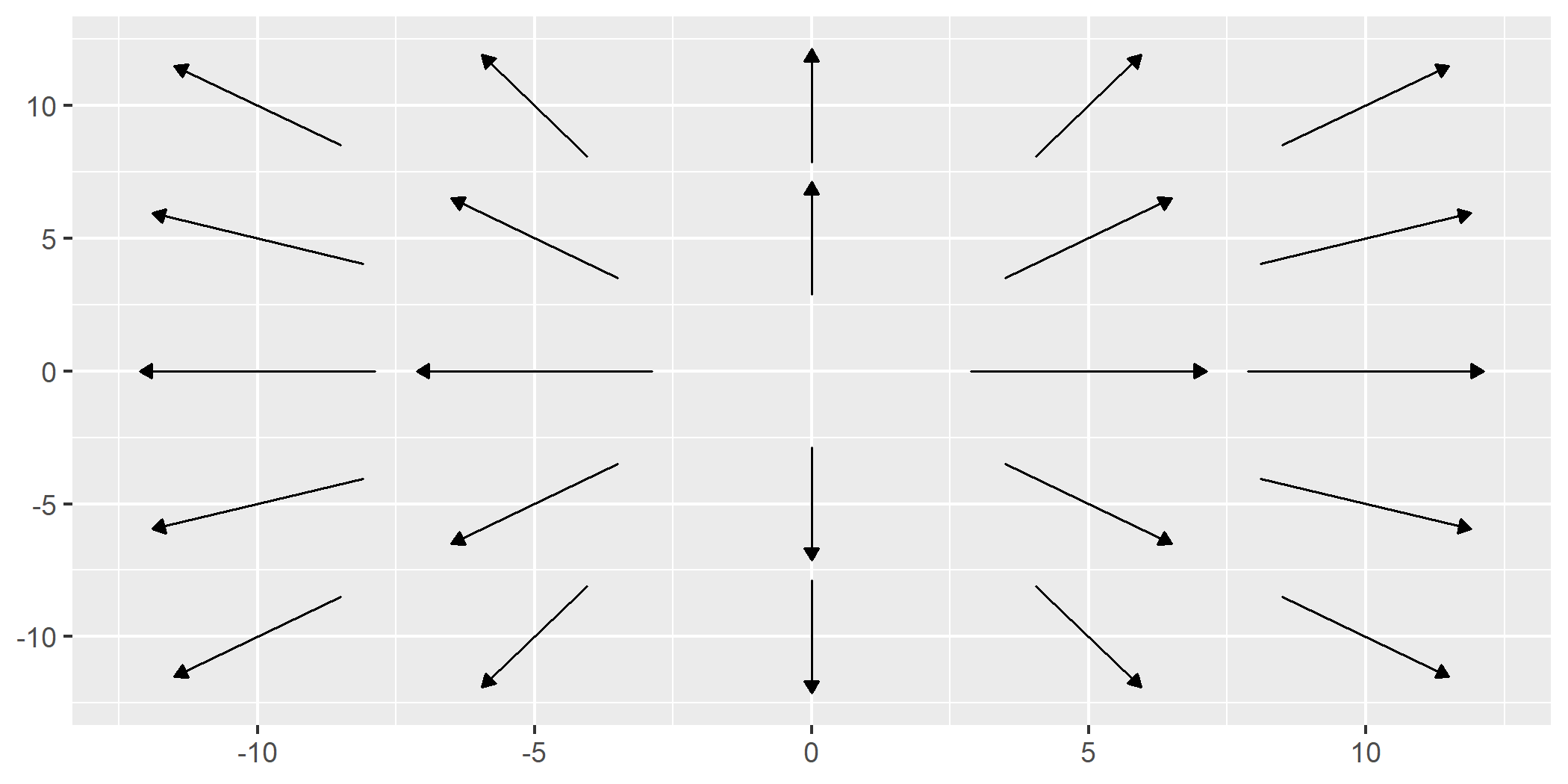
Polar Coordinates Support
Both geom_vector() and geom_vector2() also
support polar coordinates, where vectors are specified using magnitude
(distance) and direction (angle). Instead of
providing Cartesian components (fx, fy or
xend, yend), users can directly supply polar
data. This feature simplifies workflows for directional data and works
for all subsequent relevant functions that handle polar coordinates.
Polar coordinates can be visualized like this:
ggplot(wind_data) +
geom_vector(aes(x = lon, y = lat, distance = spd, angle = dir)) 
Normalize and Center
normalize: When set to TRUE, this
option scales each vector to have a unit length, which can help avoid
overplotting in dense vector fields. This is especially useful when the
direction of vectors is more important than their magnitude. However,
it’s important to note that normalize is different from mapping the norm
of the vector to the length aesthetic. While normalization ensures that
all vectors are visually uniform in length, mapping the norm to length
preserves the relative differences in magnitude by varying the vector
lengths based on their actual norms.
center: By default, center is also set
to TRUE, meaning the midpoint of each vector is placed at
the corresponding (x, y) coordinate,
effectively “centering” the vector on the point. When center is
FALSE, the base of the vector is anchored at the
(x, y) point, and the vector extends outward
from there.
The example below turns off this default behavior:
ggplot(wind_data) +
geom_vector(aes(x = lon, y = lat, fx = fx, fy = fy), center = FALSE, normalize = FALSE) 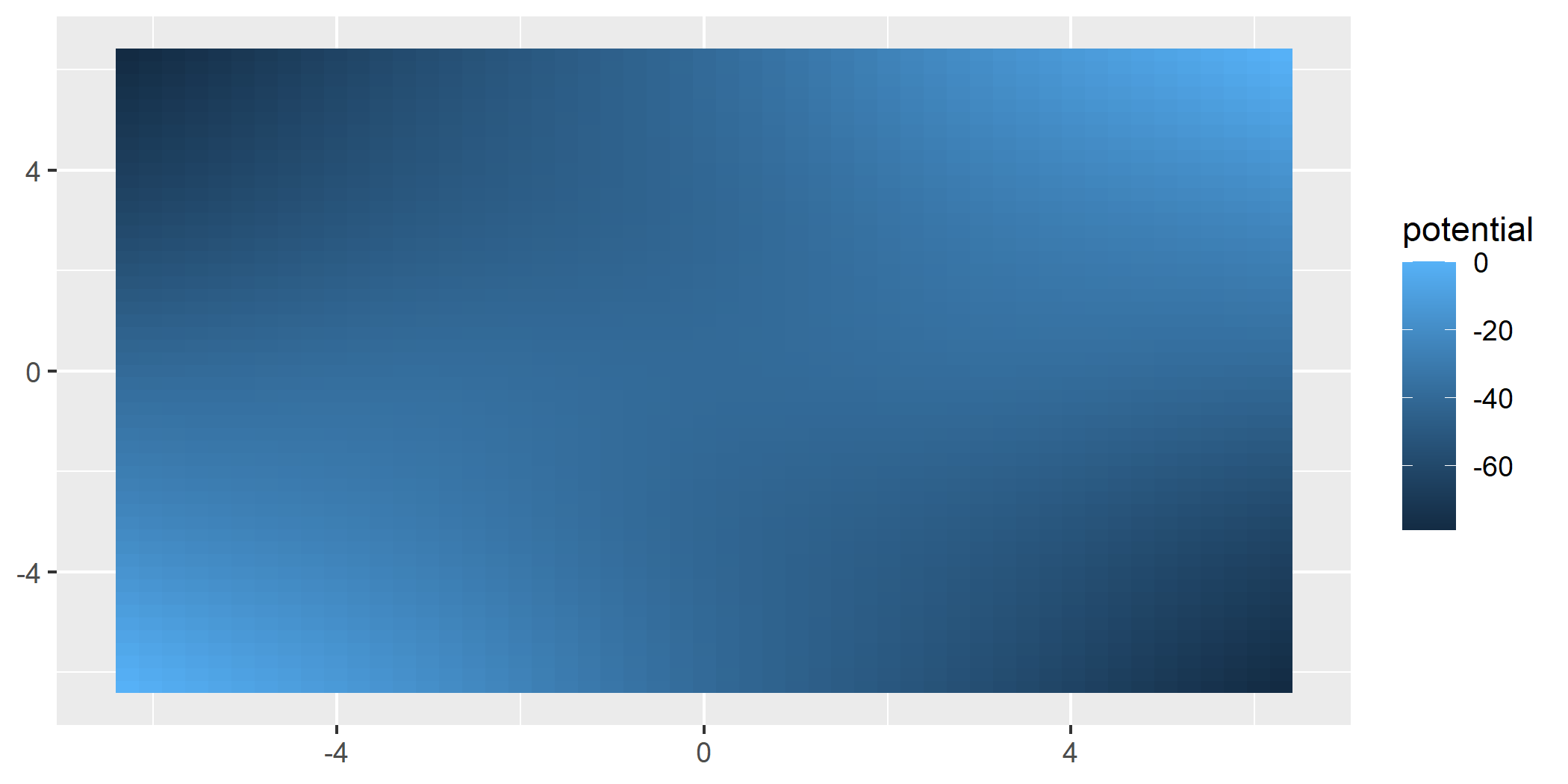
ggvfields offers techniques for smoothing noisy
vector field data geom_stream_smooth() and
geom_vector_smooth()
geom_stream_smooth() uses a dynamical systems approach
and geom_vector_smooth() offers a multivariate regression
approach that accounts for uncertainty.
geom_stream_smooth()ggplot(wind_data, aes(x = lon, y = lat, fx = fx, fy = fy)) +
geom_vector(alpha = .5, color = "black") +
geom_stream_smooth(aes(x = lon, y = lat, fx = fx, fy = fy)) 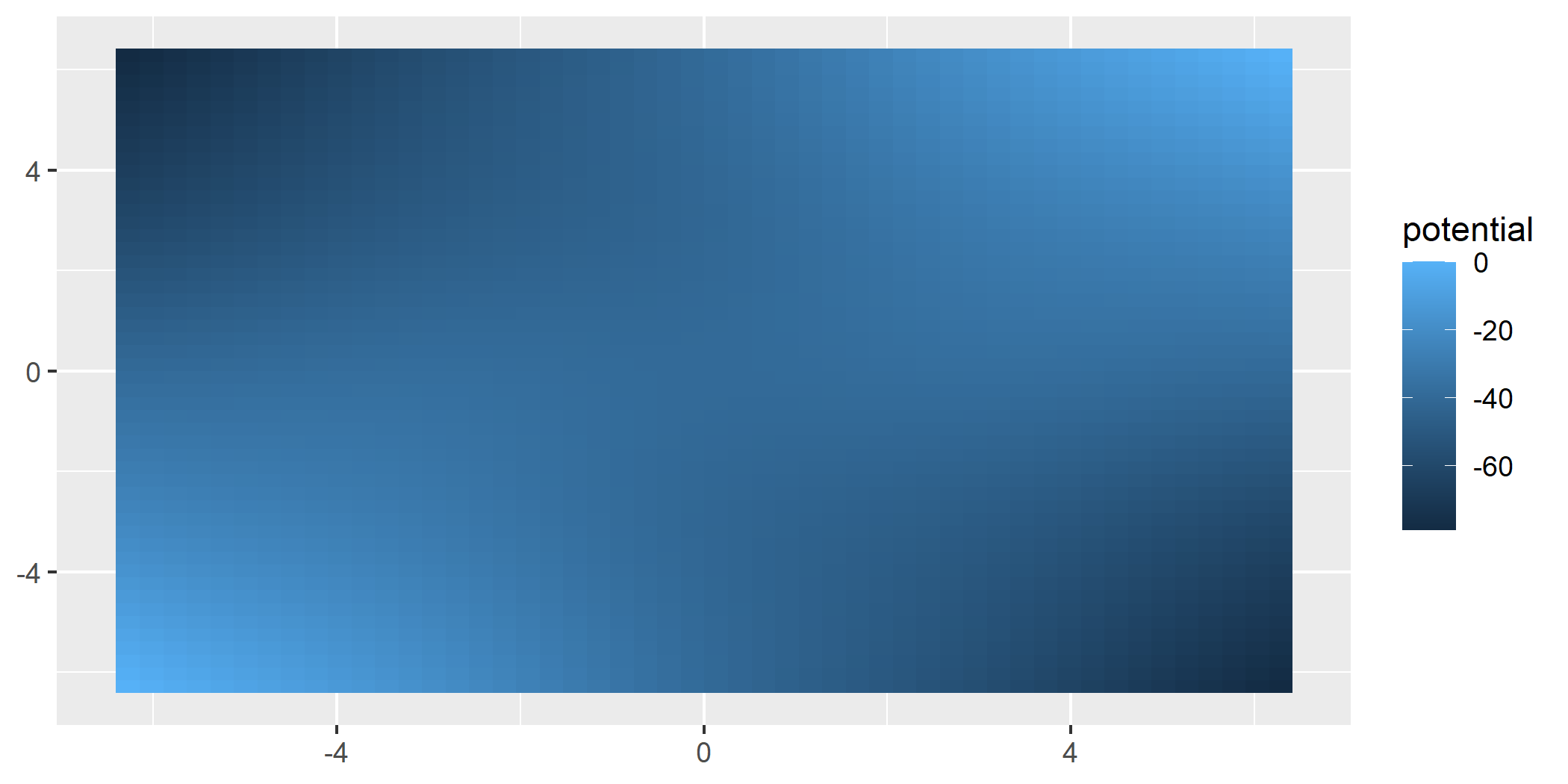
geom_vector_smooth()Provides smoothed estimates of vector fields by applying statistical techniques to observed vectors.
Smoothing is performed using a multivariate linear model defined by:
\[ \begin{pmatrix} \hat{dx} \\ \hat{dy} \end{pmatrix} = \beta_0 + \beta_1 x + \beta_2 y + \beta_3 xy \]
where \(\beta\) are coefficients
estimated by ordinary least squares (OLS). This approach captures linear
and interaction effects to approximate the underlying vector field. This
function also creates a prediction interval around the vector specified
by the conf_level argument and defaults to
.95.
When evaluation points are provided, smoothing is performed at those locations and prediction intervals can be visualized using either wedges or ellipses to indicate uncertainty.
eval_point <- data.frame(x = .5, y = .5)

ggplot(wind_data, aes(x = lon, y = lat, fx = fx, fy = fy)) +
  geom_vector(normalize = FALSE) +
  geom_vector_smooth(eval_points = eval_point) +
  lims(x = c(-7,10), y = c(-3,3))
#> Warning: Removed 2 rows containing missing values or values outside the scale range
#> (`geom_stream()`).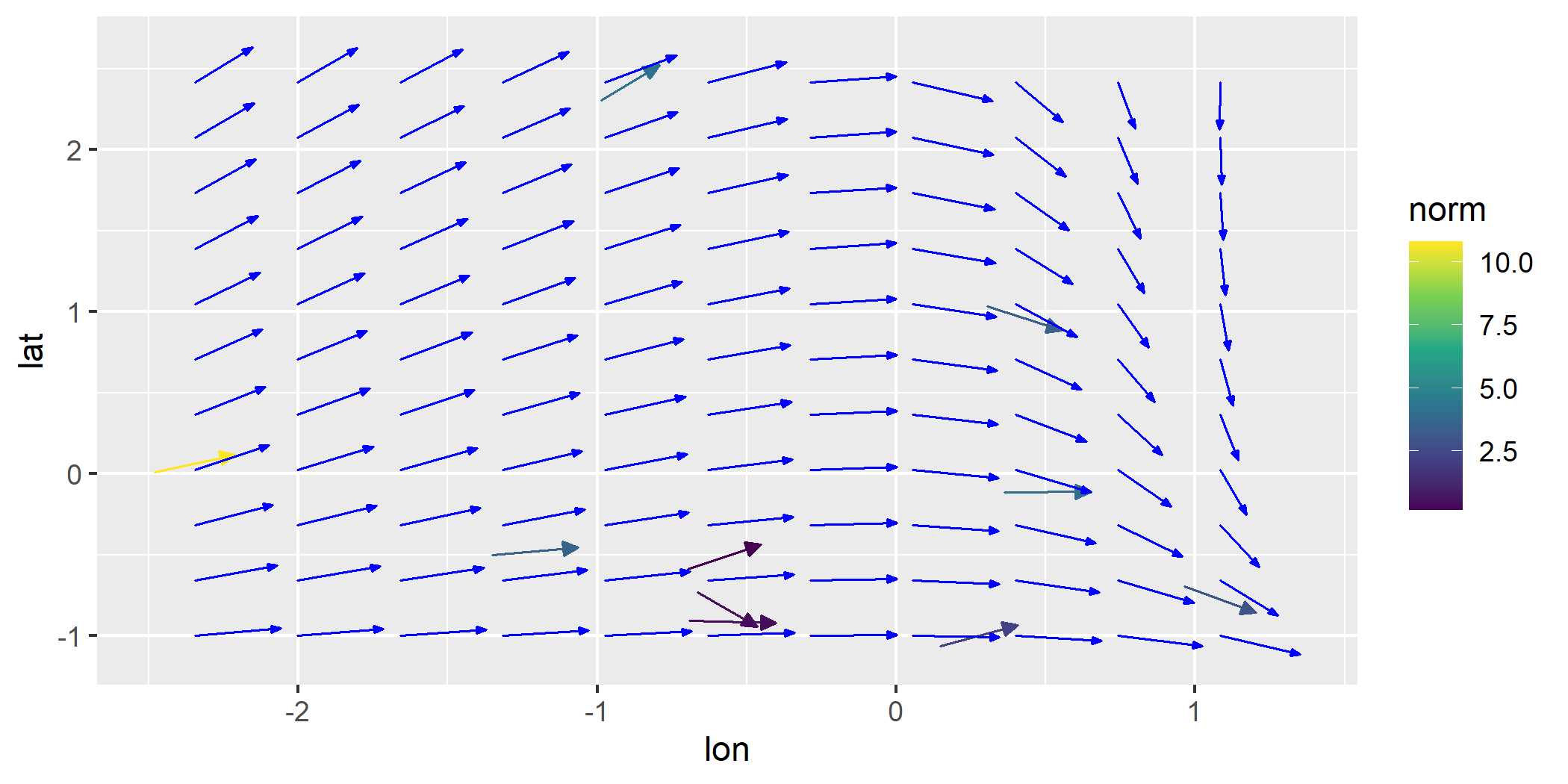
ggplot(wind_data, aes(x = lon, y = lat, fx = fx, fy = fy)) +
  geom_vector(normalize = FALSE) +
geom_vector_smooth(eval_points = eval_point, pi_type = "wedge") 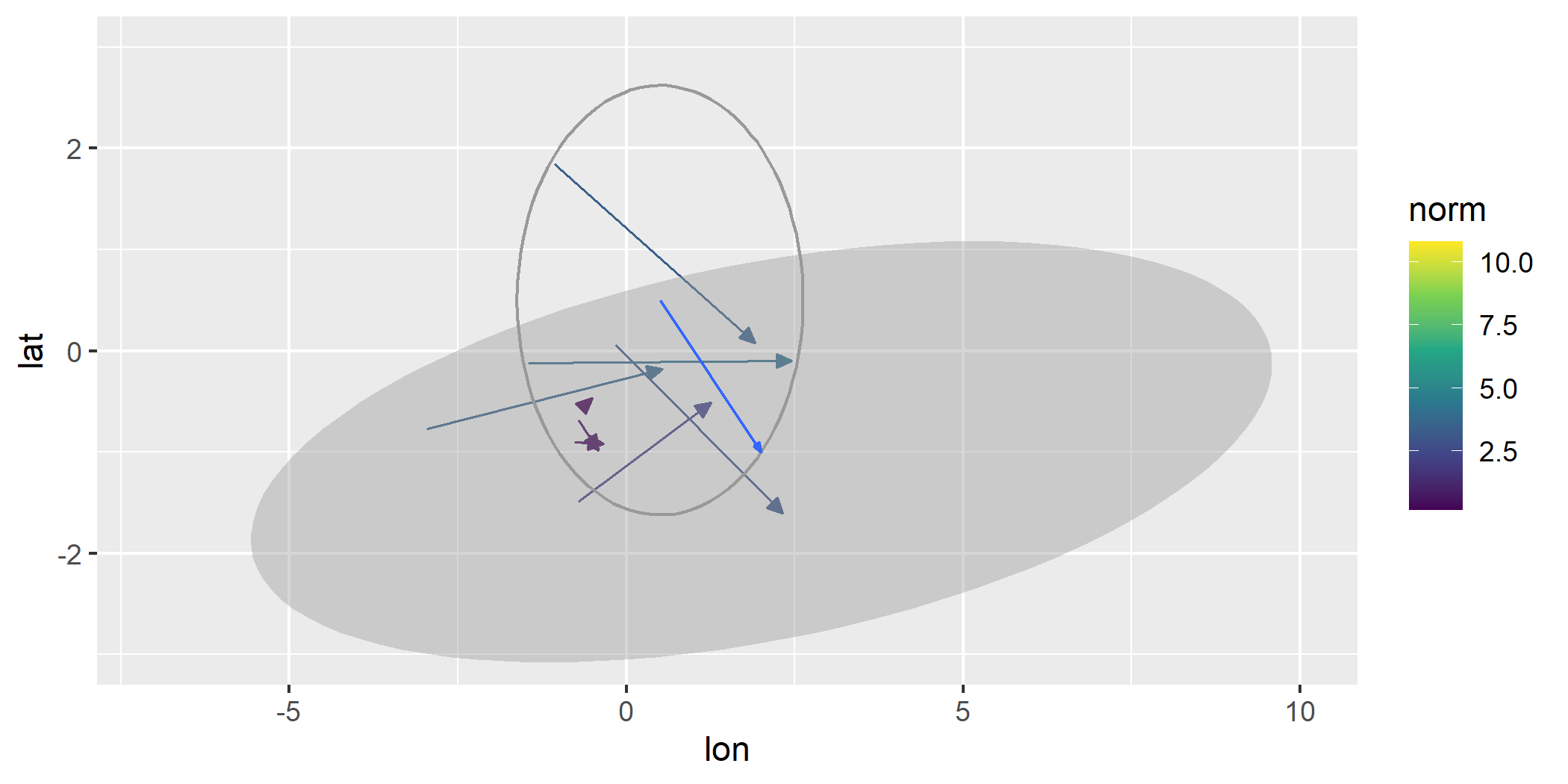
ggplot(wind_data, aes(x = lon, y = lat, fx = fx, fy = fy)) +
  geom_vector_smooth(pi_type = "wedge") +
geom_vector() 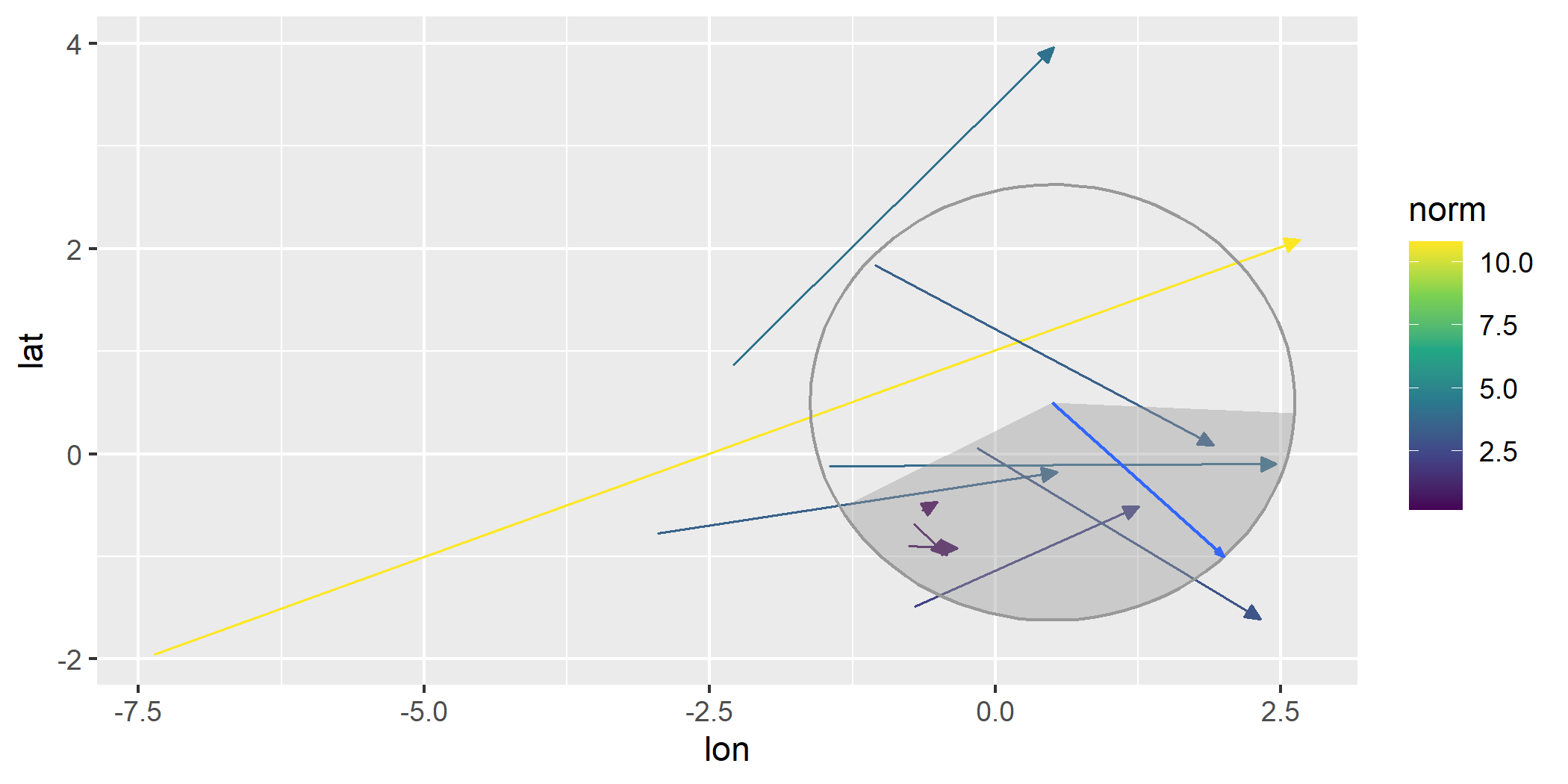
ggplot(wind_data, aes(x = lon, y = lat, fx = fx, fy = fy)) +
geom_vector_smooth(n = 6, pi_type = "wedge") 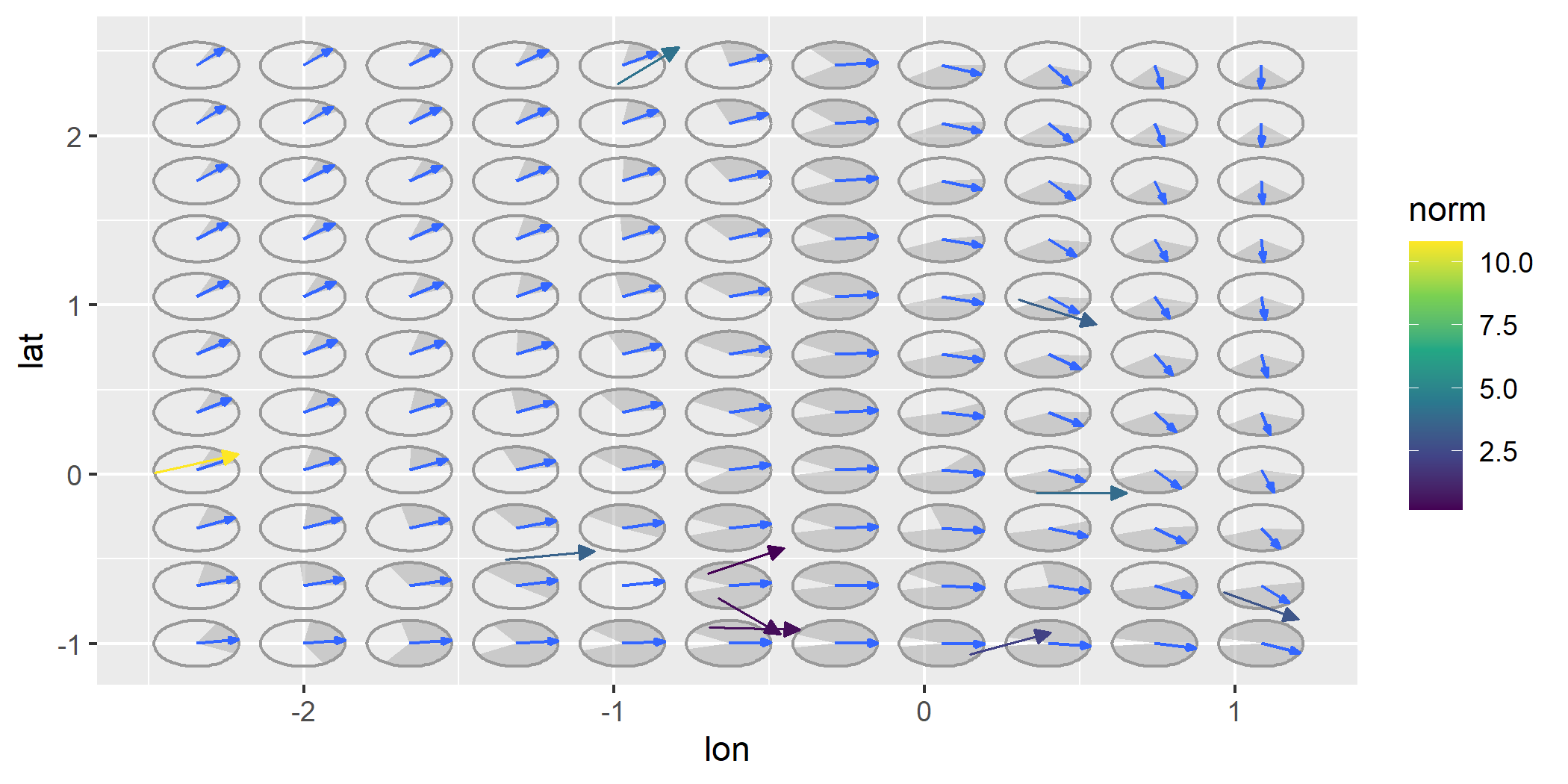
For all options, you can change the confidence level from the default
to another value by using the conf_level argument.
ggplot(wind_data, aes(x = lon, y = lat, fx = fx, fy = fy)) +
  geom_vector(normalize = FALSE) +
  geom_vector_smooth(eval_points = eval_point, pi_type = "wedge") +
geom_vector_smooth(eval_points = eval_point, pi_type = "wedge", conf_level = .7) 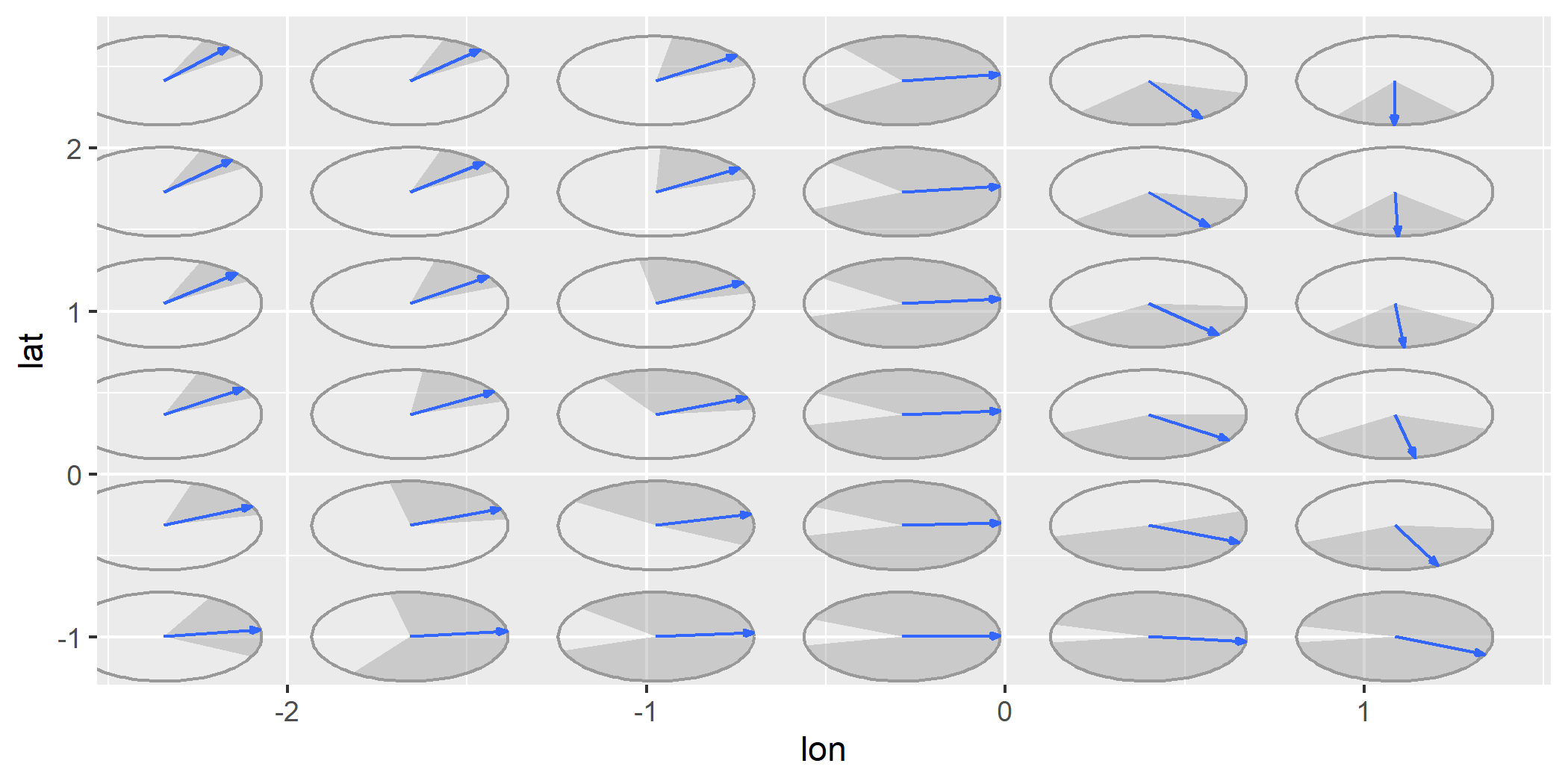
geom_gradient_smooth()geom_gradient_smooth() creates a smoothed
gradient field from raw scalar data using a fitted linear
model. This function estimates gradients when only scalar values
(z) are observed at spatial locations (x,
y). It is designed for cases where you have scalar data and
wish to estimate the gradient.
The gradients are computed numerically from a fitted scalar field model and the resulting gradient vectors are visualized using either streamlines or vector arrows.
f1 <- function(u) {
  x <- u[1]
  y <- u[2]
  x^2 - y^2
}

grid_data <- expand.grid(
  x = seq(-5, 5, length.out = 30),
  y = seq(-5, 5, length.out = 30)
)

set.seed(123)
grid_data$z <- apply(grid_data, 1, f1) + rnorm(nrow(grid_data), mean = 0, sd = 5)

ggplot(grid_data, aes(x = x, y = y, z = z)) +
  geom_gradient_smooth()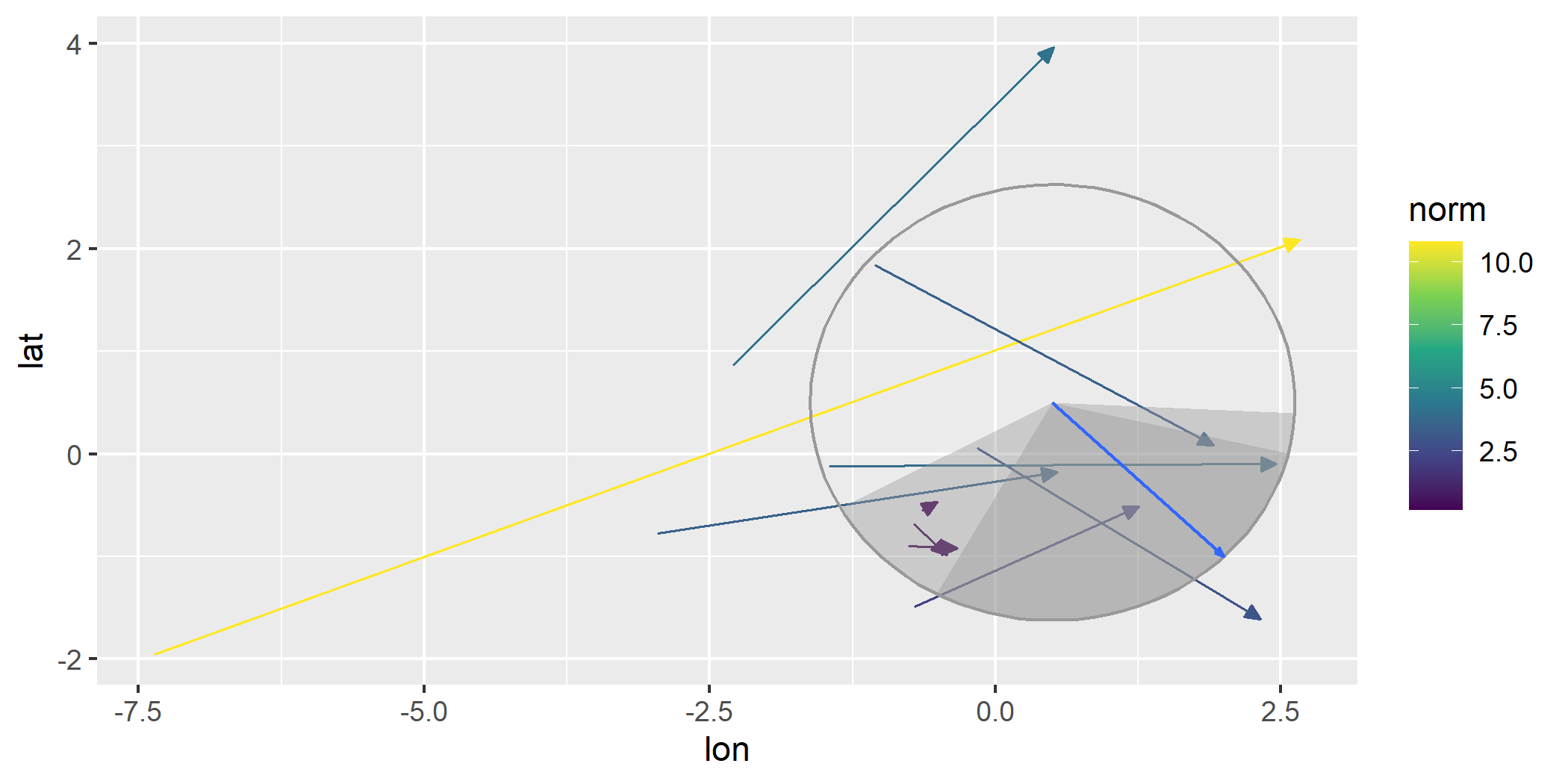
To illustrate how geom_gradient_smooth() can adapt to
nonlinear surfaces, we can change the formula used to fit the scalar
field and switch to a streamline visualization using
type = "stream". The example below uses a smooth but noisy
scalar function that generates curved gradients and fits a flexible
smoothing model to capture these variations.
h1 <- function(u) {
  x <- u[1]
  y <- u[2]
  sin(x / 2) * cos(y / 2)
}

grid_data$z <- apply(grid_data, 1, h1) + rnorm(nrow(grid_data), mean = 0, sd = 1)

ggplot(grid_data, aes(x = x, y = y, z = z)) +
geom_gradient_smooth(formula = z ~ I(x^2) * I(y^2), n = 5, type = "stream") 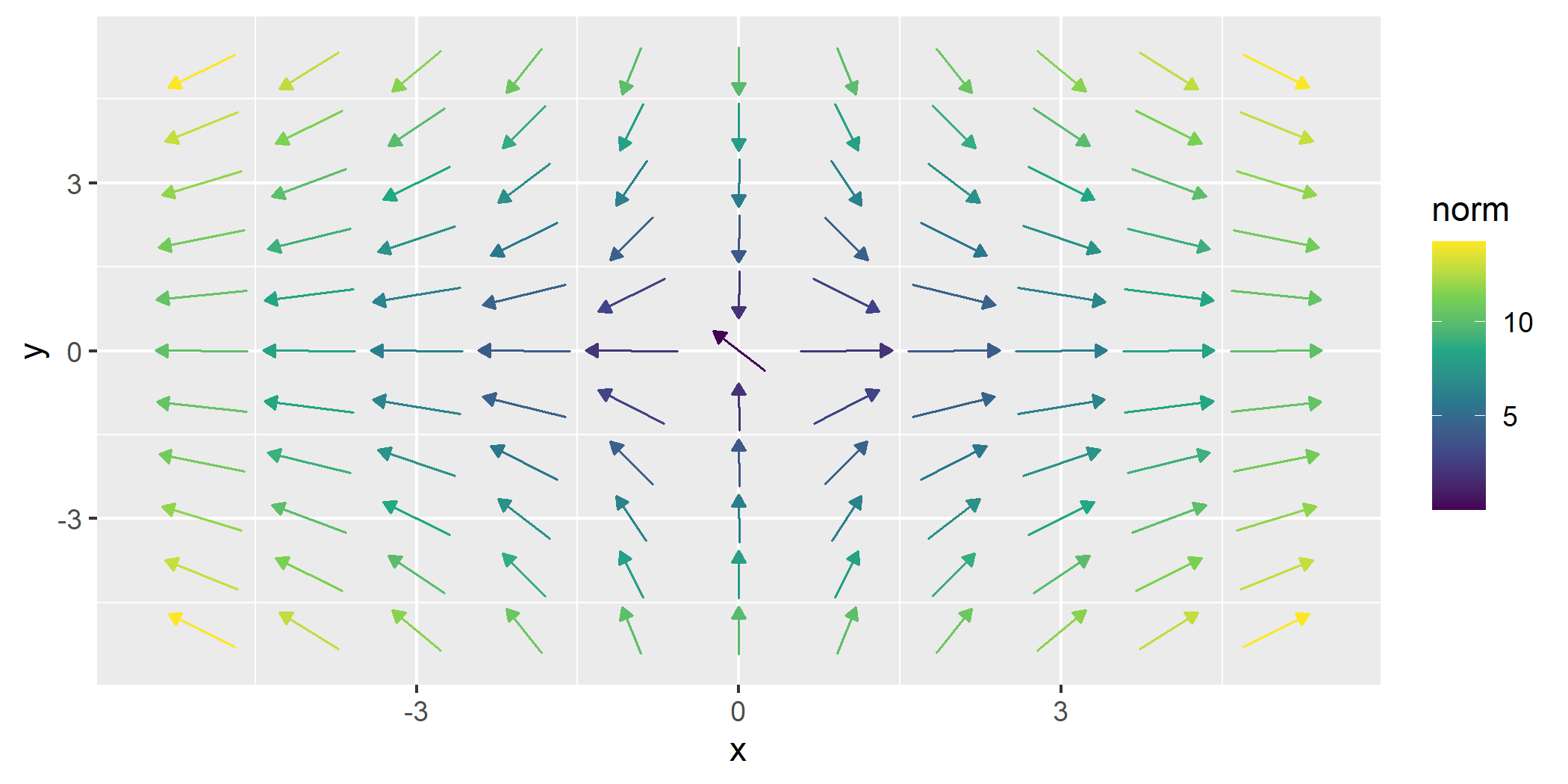
These functions can automatically determine plot limits based on the
function provided. This happens when data exists in previous layers or
in the base ggplot object. This allows the limits to be inferred from
context. Customize limits with the xlim and
ylim parameters if needed for more control.
ggplot(data = wind_data, aes(x = lon, y = lat, fx = fx, fy = fy)) +
  geom_vector() +
  geom_stream_field(fun = f) # Automatically determines limits based on existing data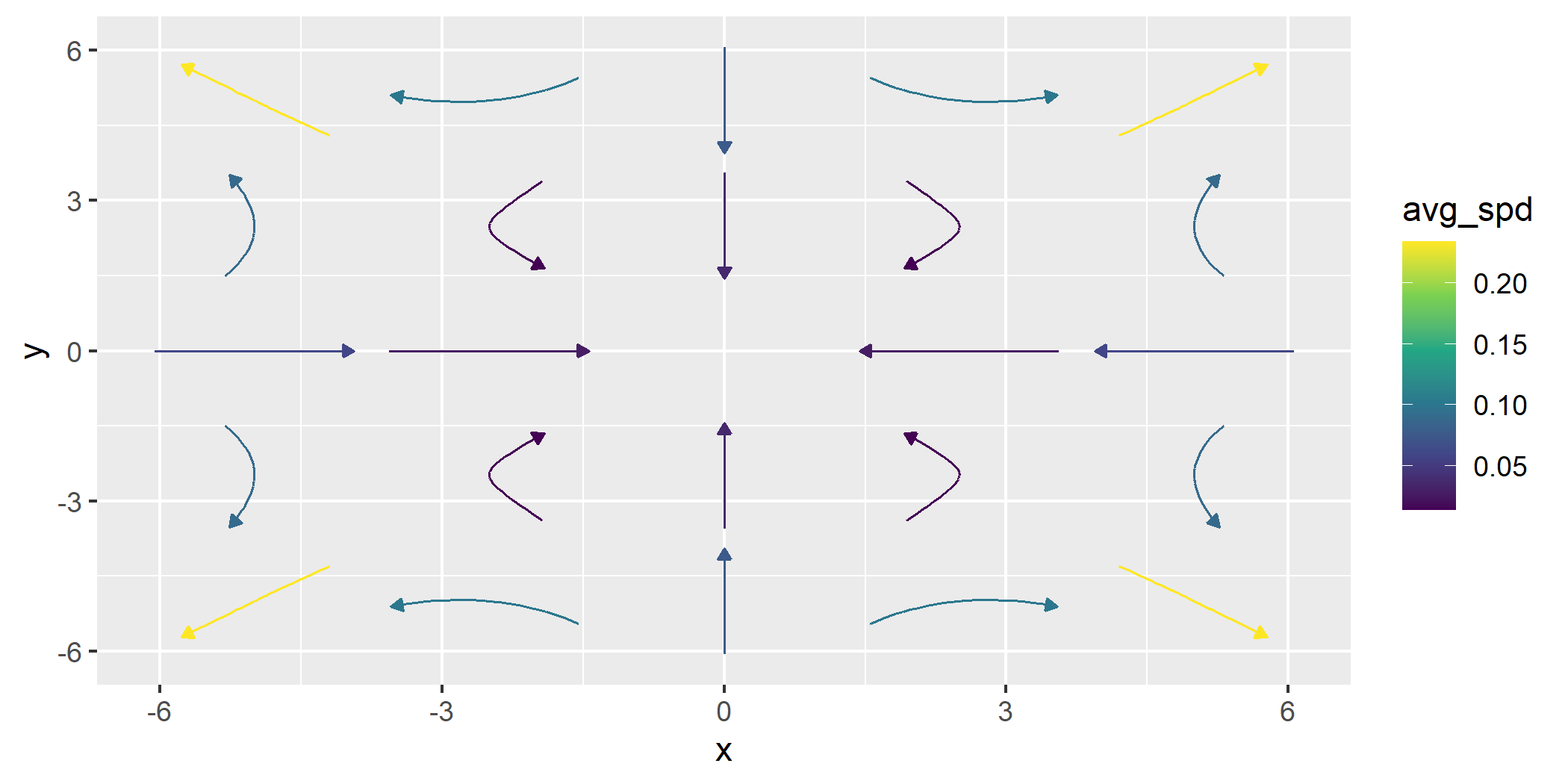
The geom_*_field functions allow the user to plot with
custom evaluation locations. The user can specify specific points to be
evaluated over the field or can also use a “hex” pattern.
ggplot() +
  geom_stream_field(fun = f, grid = "hex")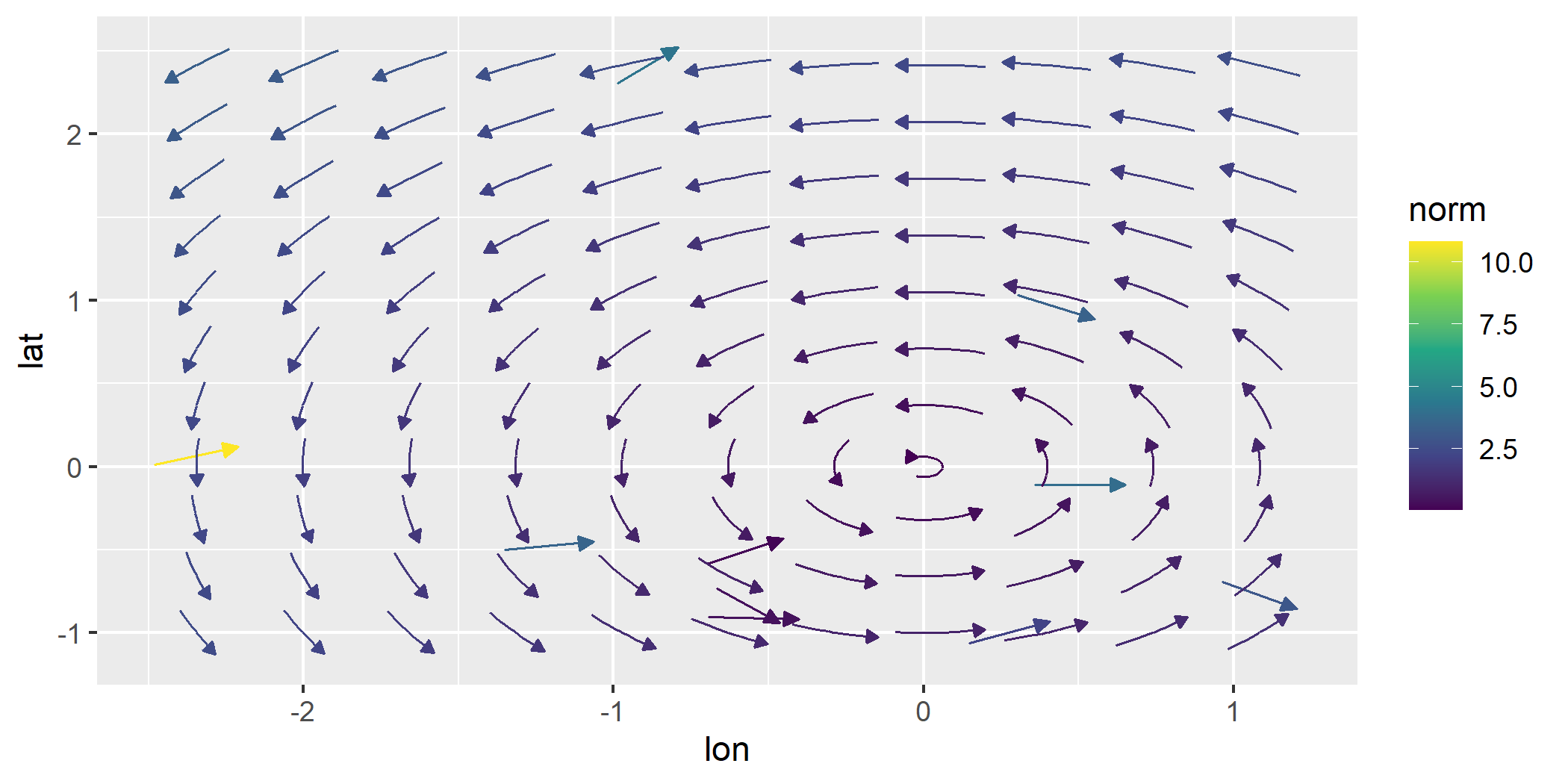
This shows a custom grid.
custom <- data.frame(x = c(1,3,5), y = c(3,4,5))

ggplot() +
  geom_stream_field(fun = f, grid = custom, normalize = FALSE, center = FALSE, L = 4)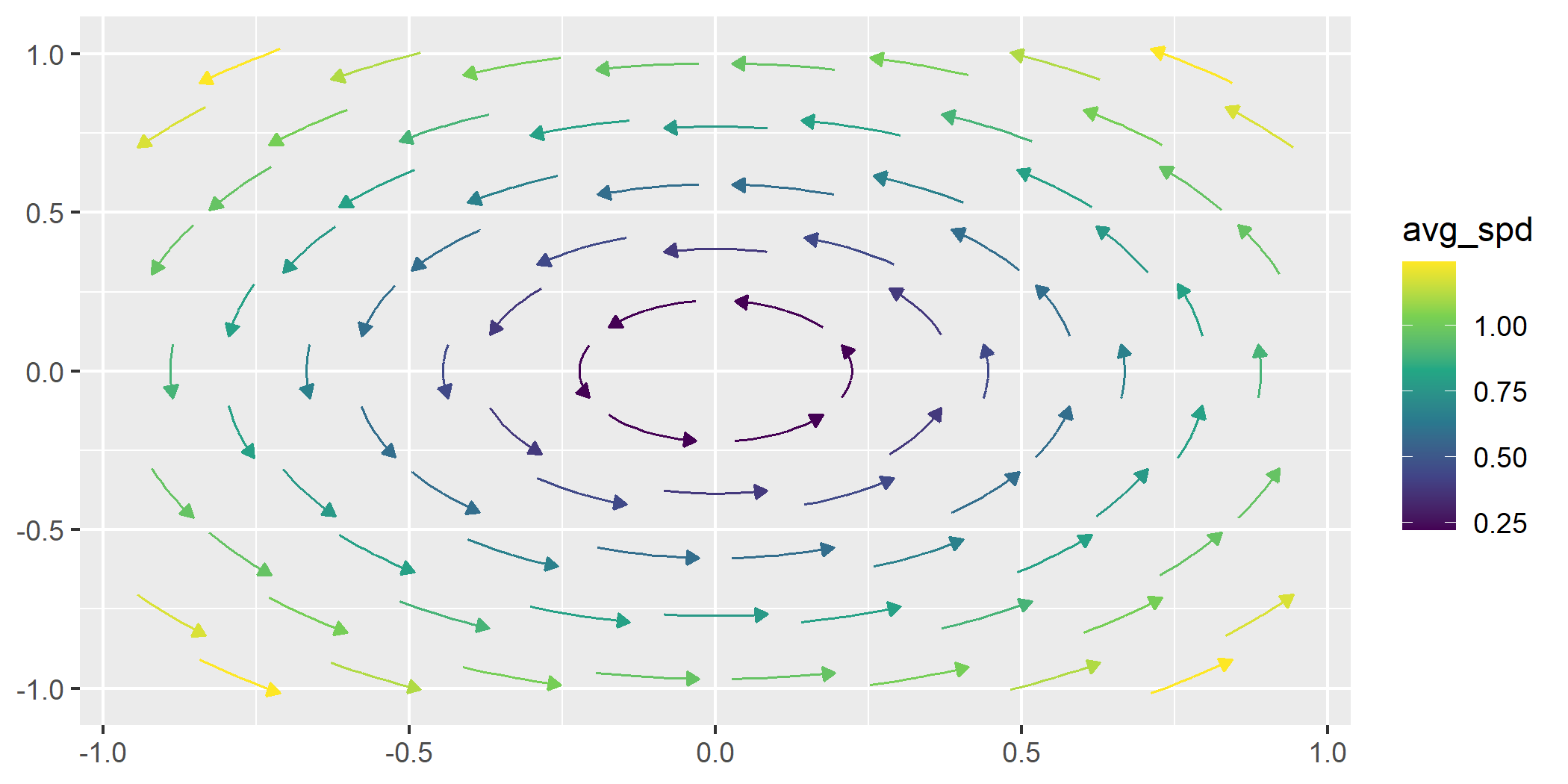
This package is licensed under the MIT License.
For questions or feedback, please open an issue.